
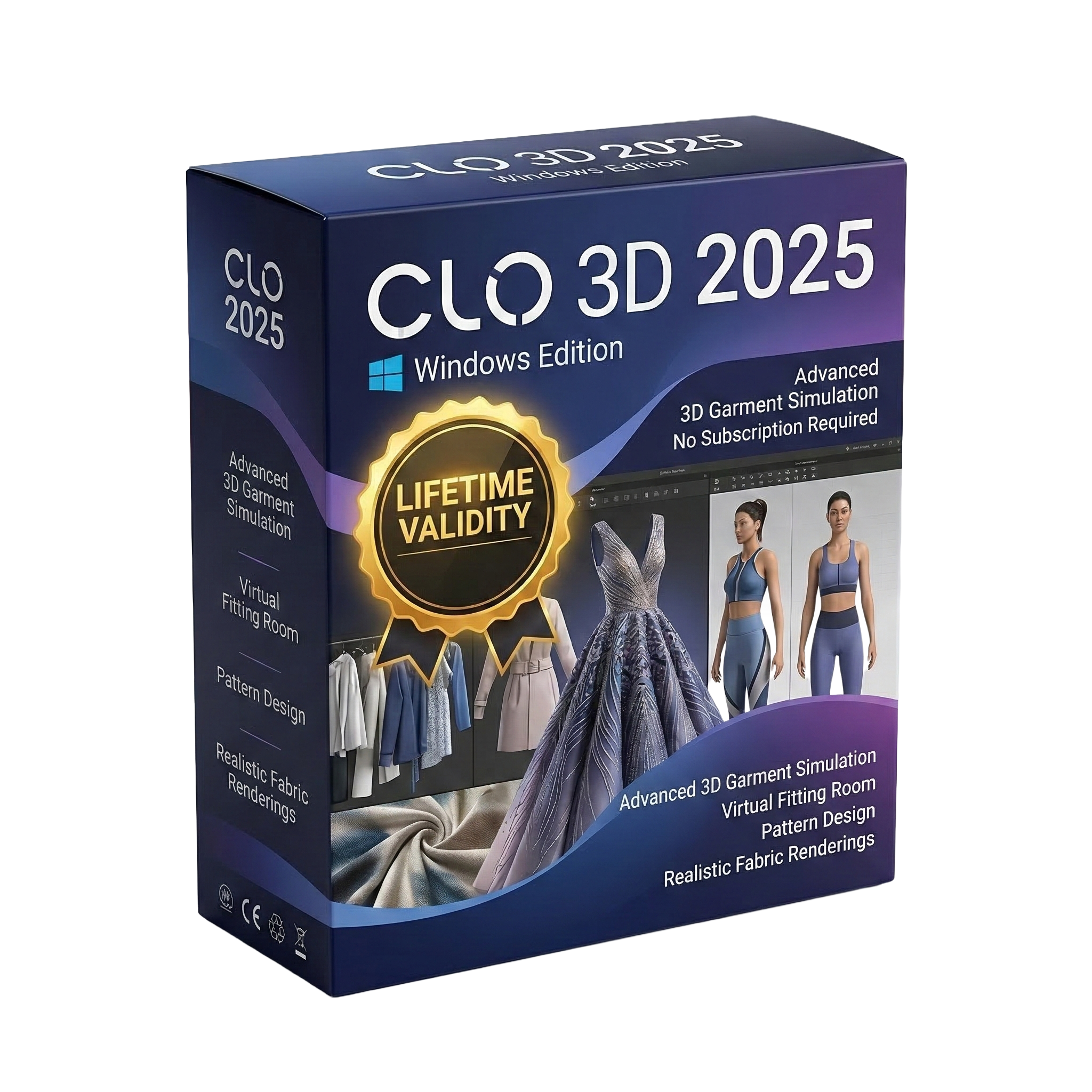
CLO 3D 2025 for Lifetime
- AUTOMATIC DELIVERY INSTANTLY ON REGISTERED EMAIL .
- Any Installation Problem Freely Contact Us(Will Give You Support)
- Lifetime Validity
- Windows Version
- File Size: 2.04GB
✔ Advanced 3D fashion design and garment simulation
✔ Realistic fabric rendering and physics-based simulation
✔ Create, edit, and visualize clothing in real-time
✔ Accurate pattern making and stitching tools
✔ Supports avatar customization and fitting
✔ High-quality rendering for presentations and marketing
Original price was: ₹999.00.₹499.00Current price is: ₹499.00.
Description
CLO 3D 2025 – Professional 3D Fashion Design & Garment Simulation Software
CLO 3D 2025 for Windows is an advanced 3D fashion design software used by fashion designers, apparel brands, and garment manufacturers to create, simulate, and visualize clothing in a realistic digital environment. Developed by CLO Virtual Fashion, CLO 3D has become a leading solution in the fashion industry for reducing production time, minimizing costs, and improving design accuracy.
CLO 3D 2025 allows users to design garments digitally using real-world patterns and fabrics, enabling them to see how clothing will look and behave before it is physically produced. With its powerful simulation engine and realistic rendering capabilities, designers can create lifelike garments that replicate fabric movement, texture, and fit.
Whether you are designing casual wear, haute couture, sportswear, or industrial garments, CLO 3D provides the tools needed to bring your fashion ideas to life with precision and creativity.
Key Features of CLO 3D 2025
Realistic Garment Simulation
CLO 3D 2025 uses advanced physics-based simulation to replicate how fabrics behave in the real world. Designers can visualize how garments drape, stretch, fold, and move on a virtual model.
This allows for accurate testing of fit, fabric behavior, and garment construction before production.
3D Fashion Design Environment
The software provides a fully interactive 3D workspace where designers can create and modify garments in real time. Users can instantly see changes as they adjust patterns, fabrics, or stitching.
This real-time workflow significantly speeds up the design process.
Pattern Making and Editing Tools
CLO 3D includes professional pattern-making tools that allow users to create and edit 2D patterns and convert them into 3D garments.
Features include:
- Pattern drafting and editing
- Sewing and stitching tools
- Grading and resizing
- Symmetry and alignment tools
These tools ensure accuracy and flexibility in garment design.
High-Quality Rendering
CLO 3D 2025 offers advanced rendering capabilities that produce photorealistic images of garments. Designers can create high-quality visuals for presentations, marketing, and e-commerce.
The rendering engine supports:
- Realistic lighting and shadows
- Fabric textures and materials
- High-resolution outputs
Fabric and Material Customization
Users can customize fabrics by adjusting properties such as thickness, elasticity, weight, and texture. This allows designers to accurately simulate different types of materials, from cotton and silk to denim and leather.
Avatar Customization and Fitting
CLO 3D allows users to work with customizable 3D avatars. Designers can adjust body measurements to match real customers or standard sizing systems.
This ensures better garment fitting and reduces sizing errors.
Seamless Integration and Export Options
CLO 3D supports integration with other design and 3D software, making it easier to collaborate and share projects.
Supported formats include:
- OBJ
- FBX
- DXF
This allows compatibility with production and visualization workflows.
Benefits of Using CLO 3D 2025
Reduce Production Costs
Minimize the need for physical samples and prototypes.
Faster Design Process
Create and modify garments in real time.
Improved Accuracy
Simulate real fabric behavior and garment fit.
Sustainable Fashion Design
Reduce waste by designing digitally.
Professional Visualization
Create realistic renders for marketing and presentations.
Who Should Use CLO 3D 2025?
CLO 3D 2025 is ideal for professionals in the fashion and apparel industry, including:
- Fashion designers
- Apparel brands
- Garment manufacturers
- Pattern makers
- Textile designers
- Fashion students and educators
- E-commerce businesses
It is especially useful for companies looking to modernize their design and production workflows.
System Requirements
Operating System: Windows 10 / Windows 11 (64-bit)
Processor: Multi-core Intel or AMD processor
RAM: Minimum 8 GB (16 GB recommended)
Graphics Card: Dedicated GPU with 4 GB VRAM or higher
Storage: Minimum 10 GB free disk space
Display Resolution: 1920 × 1080 or higher
Related Products
- AUTOMATIC DELIVERY INSTANTLY ON REGISTERED EMAIL .
- Any Installation Problem Freely Contact Us(Will Give You Support)
- Lifetime Validity
- Windows Version
- Render scenes with significantly less noise using the improved High-Quality Denoiser.
- Create intricate procedural clouds and weather effects with the updated Corona Sky.
- Scatter objects efficiently on surfaces with the enhanced Chaos Scatter controls.
- Apply decals to curved and organic surfaces seamlessly without UV unwrap.
- Simulate realistic fabrics and velvets instantly with the new Sheen layer.
- Manage complex scenes easily using the optimized Lister and Scene Management tools.
- Reduce memory usage significantly when rendering repetitive geometry with Corona Pattern.

- AUTOMATIC DELIVERY INSTANTLY ON REGISTERED EMAIL .
- Any Installation Problem Freely Contact Us(Will Give You Support)
- Lifetime Validity
- Windows Version
- 7.28 Version
- Map video onto complex geometric structures and surfaces with advanced projection mapping tools.
- Stitch multiple projectors into a single seamless widescreen image with soft edge blending.
- Sync video with lighting fixtures using DMX input and advanced LED pixel mapping.
- Lock your visuals perfectly to show tracks and DJ sets using SMPTE timecode input.
- Mix unlimited layers of video, effects, and generative content in real-time.
- Correct mistakes instantly during live setup with the fully integrated Undo/Redo feature.

- AUTOMATIC DELIVERY INSTANTLY ON REGISTERED EMAIL .
- Any Installation Problem Freely Contact Us(Will Give You Support)
- Lifetime Validity
- Windows Version
- For 3ds Max 2021 – 2027
- Render and clip real-world 3D scans natively with full Gaussian Splatting support.
- Simulate complex light fixtures significantly faster using the new V-Ray Luminaire.
- Generate accurate stars, moon, and phases instantly with the procedural Night Sky.
- Create PBR materials from simple photos automatically with the AI Material Generator.
- Stream interactive 3D scenes to clients via a web link with Chaos Cloud Streaming.
- Analyze scene performance and spot bottlenecks precisely using the V-Ray Profiler.
- Render realistic caustics and refractions at high speeds with updated V-Ray GPU.
- AUTOMATIC DELIVERY INSTANTLY ON REGISTERED EMAIL .
- Any Installation Problem Freely Contact Us(Will Give You Support)
- Lifetime Validity
- Windows Version
- Chaos V-Ray 7.20.01 for Rhinoceros 7 – 9 & SketchUp 2021 – 2026
- Render real-world 3D scans with reflections using native Gaussian Splatting support.
- Simulate accurate stars, moon phases, and the Milky Way with the procedural Night Sky.
- Upscale renders to 16K resolution instantly with the one-click AI Upscaler.
- Populate vegetation naturally with new Clustering modes in Chaos Scatter.
- Clip and trim Gaussian Splat models directly within the SketchUp viewport.
- Render complex light fixtures significantly faster using optimized V-Ray Luminaires.
- Remove bright noise pixels automatically during rendering with Firefly Removal.
- Add detail to people and grass without re-rendering using the AI Enhancer.

- AUTOMATIC DELIVERY INSTANTLY ON REGISTERED EMAIL .
- Any Installation Problem Freely Contact Us(Will Give You Support)
- Lifetime Validity
- Windows Version
- Hybrid Ray Tracing: Perfect reflections, shadows, and glass instantly.
- LiveSync: Real-time link to Revit, SketchUp, and Rhino.
- Full Library: Over 9,000 assets (trees, cars, people) included.
- Phasing Effect: Animate the construction process easily.
- Real Skies: 60+ HDR skies that light your scene automatically.
- Styles: One-click presets for “Watercolor,” “Sketch,” or “Realistic.”
- 3D Grass: Turn any surface into realistic, volumetric grass.
- Volumetric Spotlights: Create dusty, atmospheric beams of light.
- Material Editor: Add weathering, rounded edges, and foliage to textures.
- Output: Render 8K images, 4K videos, and 360 panoramas.
- AUTOMATIC DELIVERY INSTANTLY ON REGISTERED EMAIL .
- Any Installation Problem Freely Contact Us(Will Give You Support)
- Lifetime Validity
- Windows Version
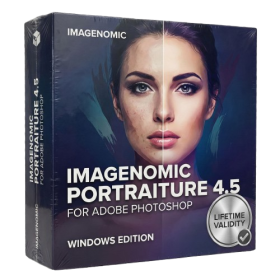
- Smooth skin naturally while preserving texture using advanced AI algorithms.
- Generate precise skin masks automatically to isolate subjects instantly.
- Process massive batches of photos rapidly with optimized multi-core performance.
- Remove blemishes and imperfections without blurring eyelashes or eyebrows.
- Even out skin tones to correct redness and blotchiness effortlessly.
- Apply professional retouching styles quickly with a customizable preset library.
- Fine-tune mask selection manually with the interactive refinement brush.
- AUTOMATIC DELIVERY INSTANTLY ON REGISTERED EMAIL .
- Any Installation Problem Freely Contact Us(Will Give You Support)
- Lifetime Validity
- Windows Version
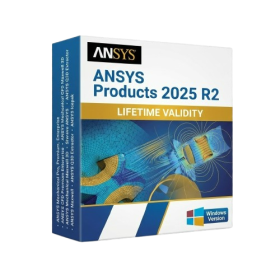
- ANSYS Products includes the following applications:
- ANSYS Mechanical Pro, Premium, Enterprise
- ANSYS CFD Premium and Enterprise
- ANSYS Mechanical CFD Maxwell 3D
- ANSYS Mechanical Maxwell 3D
- ANSYS Mechanical CFD
- ANSYS HFSS
- Siwave ANSYS
- ANSYS Maxwell
- ANSYS Q3D Extractor
- ANSYS Icepak
- AUTOMATIC DELIVERY INSTANTLY ON REGISTERED EMAIL .
- Any Installation Problem Freely Contact Us(Will Give You Support)
- Lifetime Validity
- Windows Version
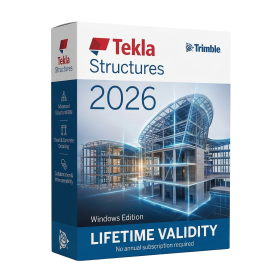
- File Size: 3.74GB
✔ Advanced structural BIM modeling with constructible detail
✔ Specialized tools for steel, concrete, and rebar detailing
✔ Fabrication-ready models with bolts, welds, and connections
✔ Automatic shop drawings and assembly drawings
✔ Accurate quantity takeoffs and material reports
✔ High Level of Detail (LOD) for real construction workflows
✔ Built-in clash detection for structural coordination
✔ Supports precast, cast-in-place, and steel structures

- AUTOMATIC DELIVERY INSTANTLY ON REGISTERED EMAIL .
- Any Installation Problem Freely Contact Us(Will Give You Support)
- Lifetime Validity
- Windows Version
- Route complex PCB traces automatically with the new AI-driven auto-interactive router.
- Collaborate seamlessly with mechanical engineers via the enhanced real-time MCAD CoDesigner.
- Simulate power integrity and signal performance instantly within the unified design environment.
- Manage component shortages proactively with live supply chain data in ActiveBOM.
- Visualize multi-board systems and rigid-flex designs in photorealistic 3D detail.
- Sync all design changes and version history securely to the cloud with Altium 365.
- Define complex high-speed design rules easily using the visual Constraint Manager.
- AUTOMATIC DELIVERY INSTANTLY ON REGISTERED EMAIL .
- Any Installation Problem Freely Contact Us(Will Give You Support)
- Lifetime Validity
- Windows Version
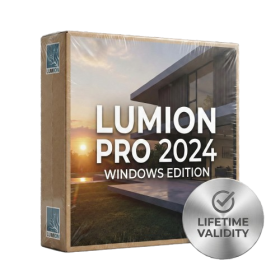
- Ray trace over 2,200 nature assets including trees and shrubs for realistic reflections.
- Preview renders instantly with the new real-time NRD denoiser in Photo and Movie modes.
- Render ray-traced videos up to 5x faster using the optimized sampling engine.
- Simulate realistic glass refraction and colored shadows with fully ray-traced glass.
- Add depth to translucent materials like marble and wax with Subsurface Scattering.
- Populate interiors instantly using 25+ new parallax room templates for day and night.
- Import GLTF files directly for a lighter and faster 3D model workflow.
- Batch import multiple 3D models simultaneously to speed up scene building.
- Lifetime Validity
- Instant Delivery on Email
- Supported on All Apple Mac Systems
- Any Installation Problem Freely Contact Us(Will Give You Support)
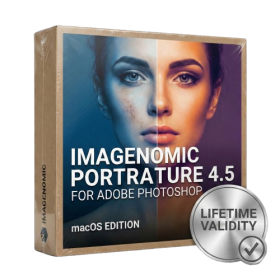
- Smooth skin naturally while preserving texture using advanced AI algorithms.
- Generate precise skin masks automatically to isolate subjects instantly.
- Process massive batches of photos rapidly with optimized multi-core performance.
- Remove blemishes and imperfections without blurring eyelashes or eyebrows.
- Even out skin tones to correct redness and blotchiness effortlessly.
- Apply professional retouching styles quickly with a customizable preset library.
- Fine-tune mask selection manually with the interactive refinement brush.

- AUTOMATIC DELIVERY INSTANTLY ON REGISTERED EMAIL .
- Any Installation Problem Freely Contact Us(Will Give You Support)
- Lifetime Validity
- Windows Version
- Edit video content as easily as a text document with the AI-powered text-based editing workflow.
- Instantly remove or replace video backgrounds without a green screen using dynamic AI masking.
- Automatically generate and sync accurate captions and subtitles from your voiceover in seconds.
- Smooth out jerky mouse movements and customize cursor paths with advanced cursor effects.
- Record high-resolution 4K screen capture, webcam, and system audio simultaneously.
- Clean up background noise and balance vocal levels instantly with AI-enhanced audio filters.
- Access a vast library of royalty-free intros, motion graphics, and music directly within the editor.
- Engage viewers by adding interactive quizzes and clickable hotspots directly to your videos.
- Apply professional animations and behaviors to text and images with simple drag-and-drop actions.
- Export videos faster than ever with optimized GPU acceleration for modern hardware.