
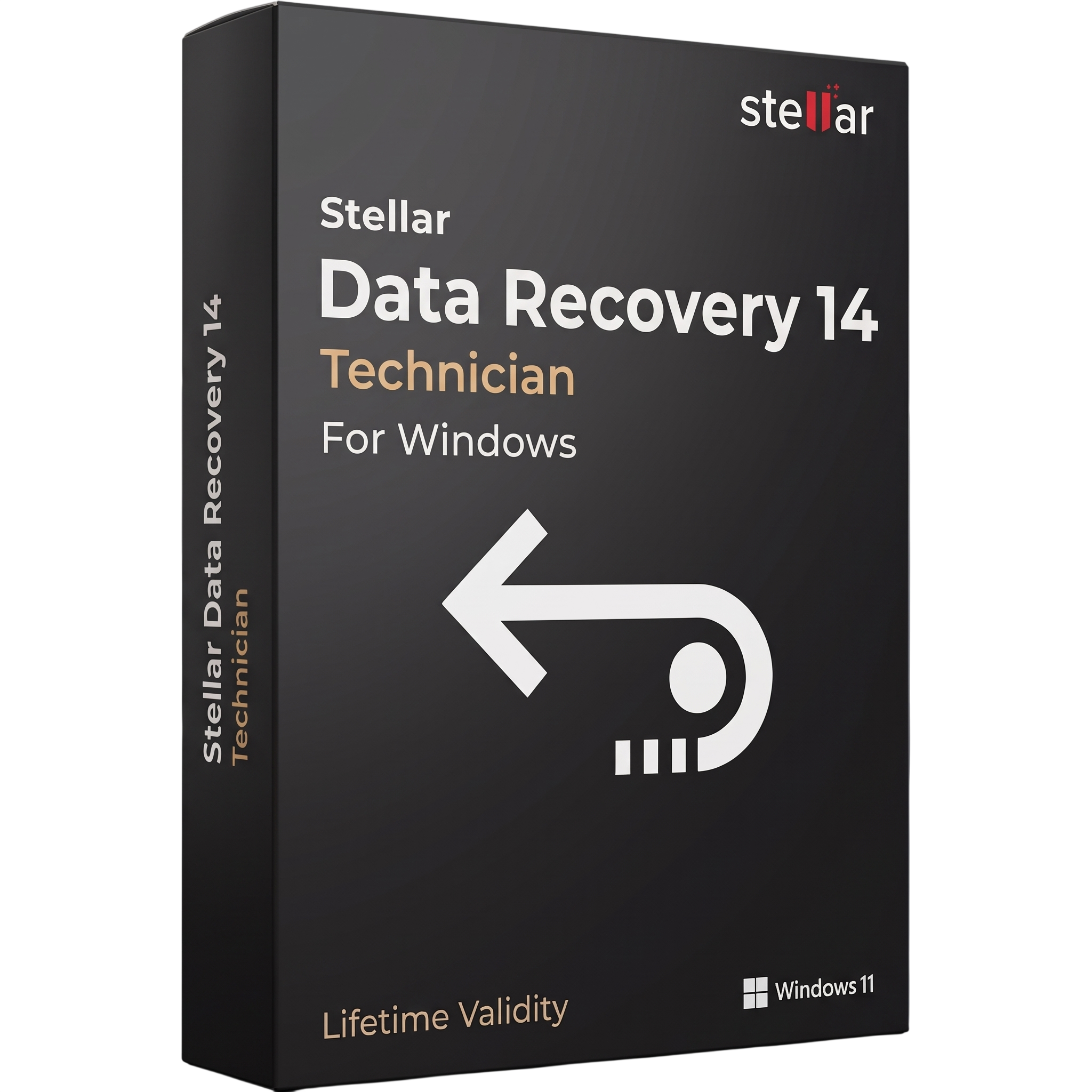
Stellar Data Recovery Technician 14 for Lifetime
- AUTOMATIC DELIVERY INSTANTLY ON REGISTERED EMAIL .
- Any Installation Problem Freely Contact Us(Will Give You Support)
- Lifetime Validity
- Windows Version
- Technician Edition
- Professional data recovery software for Windows technicians and service providers.
- Recover deleted, formatted, lost, and inaccessible files and partitions.
- Supports HDDs, SSDs, USB drives, SD cards, and memory cards.
- Recover data from supported RAID 0, RAID 5, and RAID 6 configurations.
- Supports virtual RAID reconstruction and BitLocker recovery.
- Recover supported data from Mac and Linux file systems.
- Includes Deep Scan, file preview, and advanced size and date filters.
- Repair supported corrupt photos and video files.
- Includes drive health monitoring and disk cloning capabilities.
- Version 14 features a redesigned interface and 1 GB free recovery allowance.
- Requires Windows 11, 10, or 8.1/8 (64-bit), 4 GB RAM, and 500 MB installation space.
₹490.00
Out of stock
Description
Stellar Data Recovery Technician 14 for Windows is a professional data recovery solution designed for IT technicians, data recovery specialists, system administrators, and service providers. It helps recover lost, deleted, formatted, or inaccessible data from hard drives, SSDs, USB drives, memory cards, and supported RAID storage systems.
The software provides recovery tools for common data-loss situations, including accidental deletion, formatted partitions, lost volumes, RAW drives, file-system corruption, and inaccessible storage devices. Its scanning engine searches supported storage media for recoverable files, while preview and filtering options help users identify the information they need before saving it to another location.
The Technician edition is intended for professional recovery work and includes advanced capabilities beyond basic file recovery. Depending on the licensed feature set, these include RAID recovery, virtual RAID reconstruction, recovery from supported Mac and Linux file systems, drive health monitoring, disk cloning, and repair of damaged photos and videos.
Version 14 introduces a redesigned interface, an improved Deep Scan workflow, and advanced filtering options. It also provides a 1 GB free recovery allowance across the new product lineup, allowing users to evaluate recovery results before purchasing a suitable license.
Key Features
- Deleted File Recovery: Restore supported files removed accidentally or through common file-management operations.
- Formatted Drive Recovery: Scan supported formatted partitions and storage devices for recoverable data.
- Lost Partition Recovery: Search for files from deleted, missing, or inaccessible partitions.
- RAW Drive Recovery: Scan supported RAW and corrupted file-system volumes.
- HDD and SSD Recovery: Recover supported data from internal and external hard drives and solid-state drives.
- Removable Media Recovery: Scan USB flash drives, SD cards, microSD cards, SDHC, SDXC, and other supported memory cards.
- RAID Recovery: Recover data from supported RAID 0, RAID 5, and RAID 6 configurations.
- Virtual RAID Reconstruction: Create a virtual RAID configuration for supported recovery scenarios.
- Mac and Linux Drive Recovery: Recover supported data from HFS, HFS+, and Ext2/3/4 file systems.
- BitLocker Recovery: Scan supported BitLocker-encrypted drives when the required access credentials are available.
- Deep Scan: Perform an extensive scan to locate additional recoverable files, including data from supported RAW storage media.
- Advanced File Filtering: Filter scan results by file size and modification date to find specific files more efficiently.
- File Preview: Preview supported recoverable documents, images, and other file types before restoration.
- Photo and Video Repair: Repair supported corrupt or damaged photos and video files using the included repair capabilities.
- Drive Health and Cloning: Monitor supported drive health information and create drive clones for recovery workflows.
What’s New in Version 14
- Redesigned User Interface: A refreshed interface with improved navigation and a more straightforward recovery workflow.
- 1 GB Free Recovery: Includes a free recovery allowance to evaluate the software before selecting a paid edition.
- Enhanced Deep Scan: Improved RAW recovery across supported sectors of SD cards, SDHC, SDXC, microSD, TF cards, and CompactFlash cards using FAT32 and exFAT file systems.
- Advanced File Size Filters: Filter recoverable files by predefined or custom file-size ranges.
- Date-Based Filtering: Narrow scan results by modification date, including recent dates and custom date ranges.
- Simplified Product Lineup: A streamlined edition structure makes it easier to select a recovery solution based on individual or professional requirements.
Professional Applications
- IT Support Services: Recover data from computers affected by accidental deletion, formatting, or partition damage.
- Professional Data Recovery: Handle supported recovery cases involving HDDs, SSDs, removable media, and RAID systems.
- Business Data Restoration: Recover important documents, images, videos, and other business files.
- RAID Troubleshooting: Assist with recovery from supported RAID configurations and virtual RAID reconstruction scenarios.
- Cross-Platform Recovery: Access supported Mac and Linux file systems from a Windows recovery workstation.
- Media Repair Services: Repair supported damaged photos and video files as part of a recovery workflow.
- Technical Service Providers: Provide professional data recovery services using the capabilities included with the Technician license.
System Requirements
Minimum Requirements
- Operating System: Windows 11, Windows 10, Windows 8.1, or Windows 8 (64-bit).
- Processor: Intel-compatible x64-based processor.
- Memory: 4 GB RAM.
- Storage: 500 MB of free disk space for installation.
- Supported Devices: HDDs, SSDs, flash drives, memory cards, and supported RAID arrays.
- Permissions: Administrator privileges are recommended for scanning and accessing protected storage devices.
- Additional Space: A separate destination drive with enough free capacity to store recovered files.
Recommended Requirements
- Operating System: Fully updated Windows 11 or Windows 10 64-bit.
- Processor: Modern multi-core Intel Core or AMD Ryzen processor.
- Memory: 8 GB RAM or more for large storage devices and extensive scans.
- Storage: SSD with sufficient free space for installation, temporary files, and scan operations.
- Recovery Destination: Separate physical drive with adequate capacity for restored data.
- Connectivity: Direct connection to the storage device or a compatible adapter/controller for external and RAID recovery tasks.
Note: The requirements above are based on Stellar’s published Version 14 technical specifications. Recovery support depends on the storage device, file system, encryption status, RAID configuration, and license edition. No recovery tool can guarantee restoration of overwritten or physically damaged data.
Related Products
- AUTOMATIC DELIVERY INSTANTLY ON REGISTERED EMAIL .
- Any Installation Problem Freely Contact Us(Will Give You Support)
- Lifetime Validity
- Windows Version
- AI-Powered Editing: Includes AI Object Masking, AI Sky Replacement, AI Motion Tracking, and AI Restoration Assistant for automatic noise reduction and audio enhancement.
- Performance & Tools: Enhanced screen recording (camera and screen simultaneously), frame interpolation for smoother video, and support for high-end formats.
- Content Library: Access to a vast, though slightly limited compared to 365, library of templates, effects, LUTs, and stock music.
- Usability: Features an intuitive drag-and-drop, multi-timeline interface suitable for both beginners and advanced users.
- Capabilities: Supports 4K/8K editing, 360-degree video, and vertical video for social media
- AUTOMATIC DELIVERY INSTANTLY ON REGISTERED EMAIL .
- Any Installation Problem Freely Contact Us(Will Give You Support)
- Lifetime Validity
- Windows Version
- File Size: 23.5MB
- Accelerate download speeds by up to 5 times with intelligent dynamic file segmentation.
- Resume interrupted downloads instantly without restarting from the beginning.
- Capture videos from streaming sites automatically using the improved download panel.
- Detect and download Ultra HD (4K and 8K) videos with enhanced recognition accuracy.
- Integrate seamlessly with the latest versions of Chrome, Edge, and Firefox.
- Resolve video stream errors (like 403 Forbidden) with updated site compatibility fixes.
- Schedule downloads to start, stop, or shut down your computer automatically.
- Lifetime Validity
- Instant Delivery on Email
- Any Installation Problem Freely Contact Us(Will Give You Support)
- Supported on Windows 10,11
- Pre-Activated for Lifetime Validity
- Supports: Revit 2022 to 2026
- Import and render real-world 3D Gaussian Splats directly within the Revit interface.
- Generate custom PBR textures instantly from text prompts with the AI Material Generator.
- Visualize changes in real-time using the seamless Chaos Vantage Live Link.
- Populate scenes with vegetation and crowds efficiently using Chaos Scatter.
- Edit colors and apply finishing touches directly in the advanced V-Ray Frame Buffer.
- Ensure material consistency across different software with native OpenPBR support.
- Add realistic details like road markings or graffiti using V-Ray Decals.
- Simulate dynamic skies and cloud shadows with the procedural Cloud system.
- Generate dozens of lighting variations automatically with the Light Gen tool.
- Accelerate rendering times significantly with optimized NVIDIA RTX GPU support.
- AUTOMATIC DELIVERY INSTANTLY ON REGISTERED EMAIL .
- Any Installation Problem Freely Contact Us(Will Give You Support)
- Lifetime Validity
- Windows Version
- New Desktop: Modern, faster UI with fully supported Dark Mode.
- AI Assistant: Generate and debug code using the built-in AI Chat.
- Python Interop: Seamless data exchange between MATLAB and Python.
- Simulink 3D: Photorealistic simulation powered by Unreal Engine 5.
- Live Editor: Embed sliders and buttons directly into your scripts.
- App Building: Create standalone Windows apps without C++ knowledge.
- Code Gen: Export C/C++ code for embedded hardware instantly.
- 5G/6G Tools: Advanced modeling for next-gen wireless networks.
- Automotive: specialized toolboxes for ADAS and autonomous driving.
- Cloud Run: Run your scripts in a browser via MATLAB Online.
- AUTOMATIC DELIVERY INSTANTLY ON REGISTERED EMAIL .
- Any Installation Problem Freely Contact Us(Will Give You Support)
- Lifetime Validity
- Windows Version
- Works with Internet and Antivirus
- File Size: 461MB
- v8.5.8472
- Swap vocals or drums between tracks instantly with the new StemSwap Sampler.
- Isolate track elements in real-time for seamless live mashups and remixes.
- Export playlists to USB drives for CDJs with new subfolder support.
- Sync music libraries across devices automatically via improved Cloud Drive tools.
- Plug and play with over 300+ controllers including the latest AlphaTheta models.
- Mix video and karaoke with customizable on-screen graphics and lyrics.
- Scratch with precision using the improved ultra-low latency DVS engine.
- Stream sets directly to social platforms without external broadcasting software.
- AUTOMATIC DELIVERY INSTANTLY ON REGISTERED EMAIL .
- Any Installation Problem Freely Contact Us(Will Give You Support)
- Lifetime Validity
- Windows Version
- Online & Offline both working
- Create watertight meshes instantly for 3D printing with the new ShrinkWrap tool.
- Generate dynamic 2D sections and plans directly from 3D models with ClippingDrawings.
- Model organic shapes with greater precision using supported SubD creases.
- Manipulate geometry intuitively with the new customized Auto Gumball.
- Extrude and modify faces instantly using the direct PushPull workflow.
- Render scenes significantly faster with the optimized Cycles engine.
- Customize the modernized interface to match your specific drafting workflow.
- AUTOMATIC DELIVERY INSTANTLY ON REGISTERED EMAIL .
- Any Installation Problem Freely Contact Us(Will Give You Support)
- Lifetime Validity
- Windows Version
- Route complex PCB traces automatically with the new AI-driven auto-interactive router.
- Collaborate seamlessly with mechanical engineers via the enhanced real-time MCAD CoDesigner.
- Simulate power integrity and signal performance instantly within the unified design environment.
- Manage component shortages proactively with live supply chain data in ActiveBOM.
- Visualize multi-board systems and rigid-flex designs in photorealistic 3D detail.
- Sync all design changes and version history securely to the cloud with Altium 365.
- Define complex high-speed design rules easily using the visual Constraint Manager.
- AUTOMATIC DELIVERY INSTANTLY ON REGISTERED EMAIL .
- Any Installation Problem Freely Contact Us(Will Give You Support)
- Lifetime Validity
- Windows Version
- Version: 4.20
- Revit 2023, 2024, 2025, 2026 and 2027
- SketchUp 2024, 2025 and 2026
- Rhino 7.0 and 8.3 (or later)
- Archicad 27, 28 and 29
- Vectorworks 2024, 2025 2026, 2027
- Navigate scenes with a unified, redesigned user interface for faster workflows.
- Enhance export quality instantly with the AI-powered NVIDIA Denoiser.
- Simulate realistic colored shadows for glass and transparent materials.
- Upscale textures and assets automatically using the Chaos AI Enhancer.
- Apply pencil and watercolor effects with new Artistic Visual Modes.
- Immerse clients in designs with support for Meta Quest 3 and HTC Vive.
- AUTOMATIC DELIVERY INSTANTLY ON REGISTERED EMAIL .
- Any Installation Problem Freely Contact Us(Will Give You Support)
- Lifetime Validity
- Windows Version
- File Size: 1.84GB
- Visualize models with stunning depth and realism using the new graphics engine featuring native Ambient Occlusion.
- Generate unique, seamless textures instantly from simple text prompts with the integrated AI texture generator.
- Import complex Revit files accurately and efficiently with the enhanced, lighter-weight Revit Importer.
- Create 2D documentation in LayOut faster than ever with a new multi-threaded rendering engine that eliminates lag.
- Convert room scans from mobile devices automatically into clean, editable 3D geometry via Scan-to-Design.
- Collaborate in real-time by syncing projects seamlessly across Desktop, iPad, and Web versions.
- Lifetime Validity
- Instant Delivery on Email
- Supported on All Apple Mac Systems
- Any Installation Problem Freely Contact Us(Will Give You Support)
- File Size: 6.68GB (20.3.2 Version)
- Ai Features are working
- Works with Internet and Antivirus
- Edit 12K projects effortlessly with native optimization for Apple M3 and M4 Ultra chips.
- Render renders up to 4x faster using the fully unified memory architecture of Apple Silicon.
- Generate depth maps instantly from single-camera clips using the Apple Neural Engine.
- Grade HDR content with absolute precision on Liquid Retina XDR displays using the new EDR workflow.
- Isolate voices from noisy backgrounds in real-time with the Core ML-powered Voice Isolation.
- Edit spatial video for Apple Vision Pro with a dedicated stereoscopic 3D viewer.
- Track complex objects in 3D space instantly with the Metal-accelerated IntelliTrack AI.
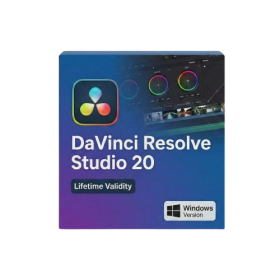
- Lifetime Validity
- Instant Delivery on Email
- Any Installation Problem Freely Contact Us(Will Give You Support)
- Supported on Windows 10,11
- File Size: 7.47GB (20.3.2 Version)
- Ai Features are working
- Works with Internet and Antivirus
- Generate complex color grades instantly from text prompts or reference images with AI Match.
- Isolate and remix individual instruments from a stereo music track using Fairlight AI Stem Separation.
- Track objects obscured by smoke or glass perfectly with the new Deep Neural Magic Mask.
- Edit spatial video natively for Apple Vision Pro and Meta Quest with full depth visualization.
- Remove unwanted moving objects from complex backgrounds automatically with Generative Fill for Video.
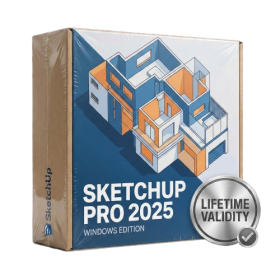
- AUTOMATIC DELIVERY INSTANTLY ON REGISTERED EMAIL .
- Any Installation Problem Freely Contact Us(Will Give You Support)
- Lifetime Validity
- Windows Version
- Visualize models with realistic shading and depth using the new Ambient Occlusion engine.
- Import and export IFC files faster with enhanced openBIM interoperability.
- Find and execute any command instantly using the integrated Smart Search tool.
- Generate unique textures and styles quickly with AI-powered Diffusion graphics.
- Collaborate in real-time by syncing models seamlessly with Trimble Connect.
- Create 2D documentation efficiently with the optimized LayOut rendering engine.
- Import complex Revit files accurately with the lightweight Revit Importer.
- Organize geometry effortlessly using the modernized Tag management system.