
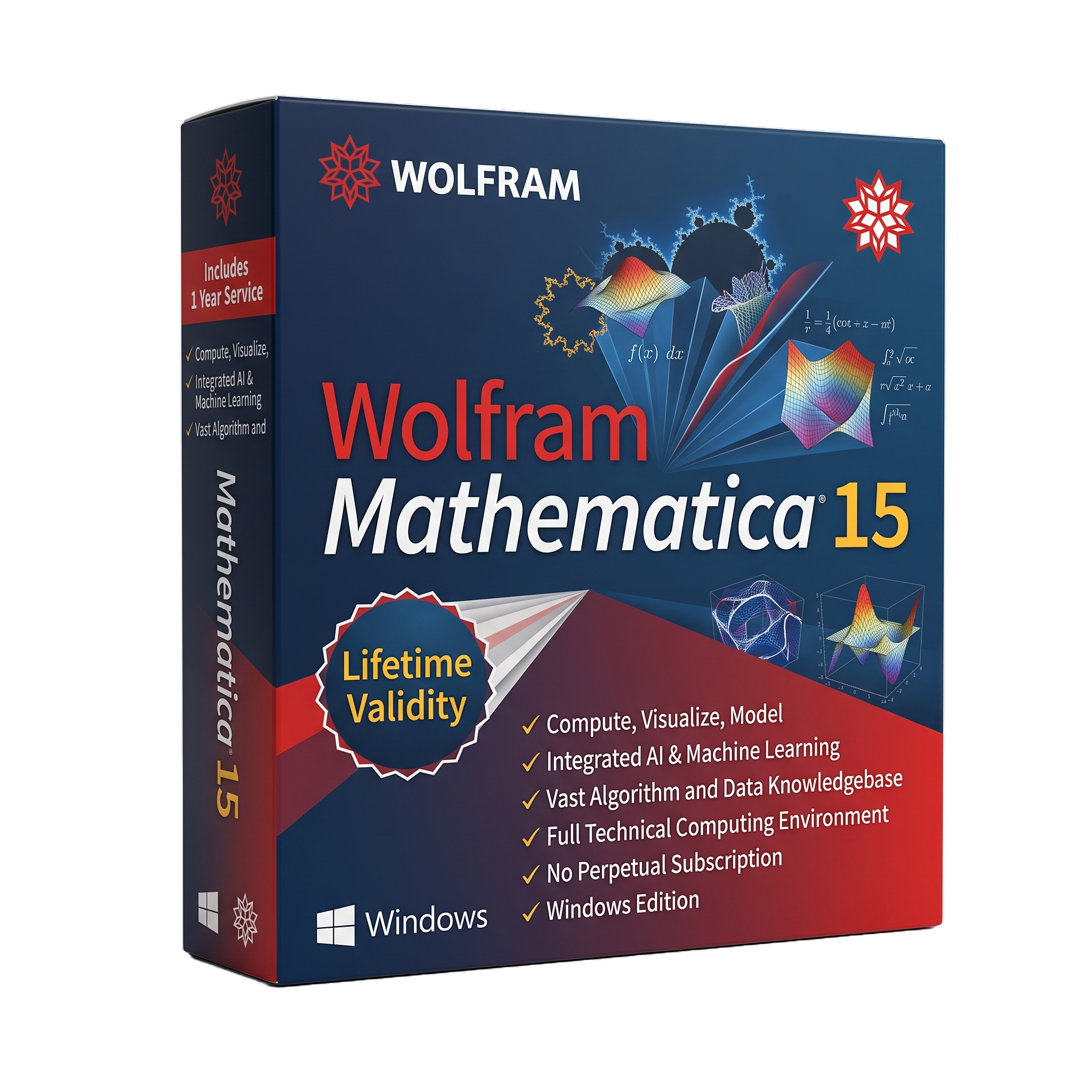
Wolfram Mathematica 15 for Lifetime
- AUTOMATIC DELIVERY INSTANTLY ON REGISTERED EMAIL .
- Any Installation Problem Freely Contact Us(Will Give You Support)
- Lifetime Validity
- Windows Version
- Professional mathematical and technical-computing platform
- Windows 10/11 64-bit support
- Symbolic and numerical computation
- Algebra, calculus, equations, and differential equations
- Linear algebra and optimization
- Statistics and data science
- Time-series and tabular-data analysis
- Machine learning and model fitting
- Q-learning and control-system computation
- Scientific simulation and engineering analysis
₹550.00
Description
Wolfram Mathematica 15 for Windows is a professional technical computing, mathematical modeling, data science, visualization, and programming environment developed by Wolfram Research. It combines symbolic and numerical computation with the Wolfram Language, providing tools for algebra, calculus, differential equations, statistics, optimization, machine learning, engineering, physics, finance, data analysis, and scientific visualization. Mathematica is used by researchers, engineers, mathematicians, educators, students, and technical organizations for both interactive exploration and reproducible computational workflows.
Mathematica uses notebook-based documents that combine executable Wolfram Language code, mathematical expressions, graphics, interactive controls, formatted text, and results. Users can perform exact symbolic calculations as well as high-precision and numerical computations, construct interactive demonstrations, manipulate datasets, fit mathematical models, solve equations, analyze networks, process images, and create publication-quality visualizations. The environment can also connect to external languages and systems, including Python, R, C, Java, databases, and web services.
Mathematica 15 adds significant capabilities in AI-assisted computing, data science, mathematical computation, and notebook technology. The release introduces an AI Assistant built into notebooks, support for the Model Context Protocol (MCP) for connecting external AI clients to Wolfram capabilities, expanded time-series/tabular-data workflows, improved model fitting, symbolic music computation, additional matrix decompositions, Q-learning for control systems, and improved handling of large notebooks.
For Windows deployments, Mathematica 15 is delivered through the Wolfram desktop application. The current 15.x generation is 15.0.1, released in July 2026, with bug fixes, stability improvements, security updates, and updated libraries. Mathematica 15 supports Windows 10 and Windows 11 on x86-64 systems, with Windows 10 requiring version 21H2 or later.
Key Features
- Symbolic mathematical computation
- Numerical and arbitrary-precision computation
- Algebra and calculus
- Equation and inequality solving
- Differential and partial differential equations
- Linear algebra and matrix computation
- Optimization
- Probability and statistics
- Time-series analysis
- Machine learning and model fitting
- Data science and tabular-data processing
- Data import, transformation, and analysis
- Scientific and engineering computation
- Physics and mathematical modeling
- Control-system modeling
- Q-learning and reinforcement-learning workflows
- Graph and network analysis
- Image processing and computer vision
- Geographic and geospatial computation
- Astronomy and scientific data analysis
- Advanced 2D and 3D visualization
- Interactive Manipulate-style applications
- Dynamic notebooks
- Publication-quality mathematical graphics
- Symbolic music computation
- Automated theorem and formula manipulation
- GPU-accelerated computation through supported CUDA/OpenCL hardware
- Hybrid CPU/GPU linear algebra
- Wolfram Language programming
- Python and R integration
- C compilation and external-language interfaces
- Database and external-data connectivity
- Cloud and Wolfram|Alpha integration
- AI Assistant integrated into notebooks
- MCP framework for external AI clients
- Notebook files exceeding 2 GB
- Custom themes and improved notebook interface
- Local documentation option
- Network licensing through MathLM
- Windows Server support for enterprise deployments
What’s New
Wolfram Mathematica 15.0
- Built-in AI Assistant available directly within notebooks
- MCP framework allowing external AI clients to access Wolfram capabilities
- Expanded time-series functionality
- Improved categorical and tabular data workflows
- Enhanced statistical model fitting
- New matrix decompositions and accelerated linear-algebra operations
- Q-learning capabilities for control systems
- Symbolic music computation
- Improved graphs, geography, astronomy, and visualization tools
- Notebook support for files larger than 2 GB
- New visual themes
- New notebook sidebar
- Redesigned Find interface
- Expanded incremental-object functionality
- Improved accelerated CPU/GPU computation
Version 15.0.1 — July 2026
- Bug fixes and stability improvements
- Security updates
- Updated OpenSSL and other third-party libraries
- Updated SQLite JDBC and PostgreSQL components
- Corrections to mathematical functions and data-analysis workflows
- Fixed Windows-specific stack-trace functionality
- Improved memory behavior in image processing
- Updated platform compatibility
The current 15.0.1 release also changed the minimum Windows/Linux processor architecture requirement to x86-64-v2 or higher.
Professional Applications
Wolfram Mathematica 15 is suitable for:
- Mathematical research
- Scientific research
- Engineering analysis
- Physics and computational physics
- Statistics and data science
- Machine learning research
- Financial modeling
- Quantitative finance
- Control systems
- Signal processing
- Image processing
- Operations research
- Optimization
- Numerical simulation
- Academic teaching
- University research
- Technical publishing
- Algorithm development
- Computational chemistry
- Computational biology
- Data visualization
- Research automation
System Requirements
Minimum Requirements
- Operating System: Windows 11 64-bit or Windows 10 64-bit, with Windows 10 requiring version 21H2 or later.
- Processor: x86-64-v2 or higher processor architecture for current Mathematica 15.0.1
- RAM: 4 GB or more recommended
- Storage: 10 GB minimum without local documentation; approximately 23 GB with local documentation
- Graphics: Standard Windows-compatible graphics hardware
- Display: Modern Windows-supported display
- Internet: Required for AI, cloud, Wolfram|Alpha-enabled features, activation, and selected online services
- GPU Computing: Compatible dual-precision GPU supporting CUDA or OpenCL is required for built-in GPU-computing functionality
- C Compilation: A compatible C compiler is required when using Mathematica’s C compilation functionality.
Related Products

- AUTOMATIC DELIVERY INSTANTLY ON REGISTERED EMAIL .
- Any Installation Problem Freely Contact Us(Will Give You Support)
- Lifetime Validity
- Windows Version
- Rock-Solid Tracking: The industry standard for planar tracking.
- PowerMesh: Track warped surfaces like skin and fabric.
- Generative Remove: Auto-remove objects and wires with AI.
- Stabilization: Smooth out shaky handheld footage instantly.
- Insert Module: Perfect screen replacements with motion blur.
- Magnetic Roto: Snap masks to edges for fast rotoscoping.
- Lens Correction: Fix or match lens distortion easily.

- AUTOMATIC DELIVERY INSTANTLY ON REGISTERED EMAIL .
- Any Installation Problem Freely Contact Us(Will Give You Support)
- Lifetime Validity
- Windows Version
- Professional Edition
- Preview files in real-time while the scan is still running with “On-the-Fly” preview.
- Pause and resume recovery scans instantly to save progress without restarting.
- Recover data from BitLocker-encrypted drives by simply entering the password.
- Create bootable USB media to salvage files from crashed or unbootable PCs.
- Repair corrupt videos and photos automatically using the Premium repair tools.
- Multitask efficiently with native dual-monitor support for the recovery interface.
- Scan large 4K hard drives with 4096-byte sectors using the optimized engine.
- Retrieve data from RAID 0, 5, and 6 arrays seamlessly with the Technician edition.
- AUTOMATIC DELIVERY INSTANTLY ON REGISTERED EMAIL .
- Any Installation Problem Freely Contact Us(Will Give You Support)
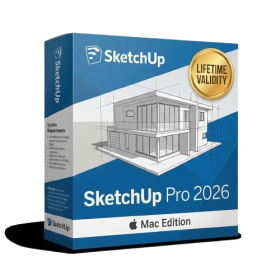
- Lifetime Validity
- Mac Version
- Run natively on Apple Silicon (M1/M2/M3/M4/M5) for blazing-fast performance.
- Visualize models with realistic depth using the new Ambient Occlusion engine.
- Generate unique textures instantly with integrated AI-powered prompts.
- Sync projects seamlessly between Mac, iPad, and Web versions.
- Convert iPhone LiDAR scans into 3D models automatically via Scan-to-Design.
- Create 2D documentation faster with the optimized LayOut rendering engine.
- Import and export USDZ files easily for Apple AR visualization.

- Lifetime Validity
- Instant Delivery on Email
- Supported on All Apple Mac Systems
- Any Installation Problem Freely Contact Us(Will Give You Support)
- Smooth skin naturally while preserving texture using advanced AI algorithms.
- Generate precise skin masks automatically to isolate subjects instantly.
- Process massive batches of photos rapidly with optimized multi-core performance.
- Remove blemishes and imperfections without blurring eyelashes or eyebrows.
- Even out skin tones to correct redness and blotchiness effortlessly.
- Apply professional retouching styles quickly with a customizable preset library.
- Fine-tune mask selection manually with the interactive refinement brush.
- AUTOMATIC DELIVERY INSTANTLY ON REGISTERED EMAIL .
- Any Installation Problem Freely Contact Us(Will Give You Support)
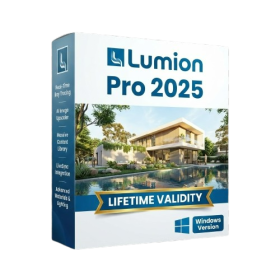
- Lifetime Validity
- Windows Version
- Hybrid Ray Tracing: Perfect reflections, shadows, and glass instantly.
- LiveSync: Real-time link to Revit, SketchUp, and Rhino.
- Full Library: Over 9,000 assets (trees, cars, people) included.
- Phasing Effect: Animate the construction process easily.
- Real Skies: 60+ HDR skies that light your scene automatically.
- Styles: One-click presets for “Watercolor,” “Sketch,” or “Realistic.”
- 3D Grass: Turn any surface into realistic, volumetric grass.
- Volumetric Spotlights: Create dusty, atmospheric beams of light.
- Material Editor: Add weathering, rounded edges, and foliage to textures.
- Output: Render 8K images, 4K videos, and 360 panoramas.
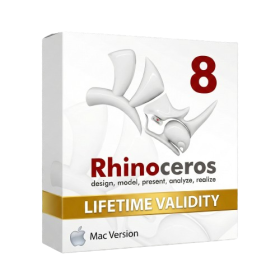
- Lifetime Validity
- Instant Delivery on Email
- Supported on All Apple Mac Systems
- Any Installation Problem Freely Contact Us(Will Give You Support)
- Run natively on Apple Silicon (M1/M2/M3) for significantly faster processing speeds.
- Experience fluid viewport navigation with the new Apple Metal graphics pipeline.
- Create watertight meshes from open geometry instantly using the ShrinkWrap command.
- Customize your workspace with new Window Layouts that match the Windows interface.
- Render ray-traced images in real-time using GPU-accelerated Cycles on Metal.
- Model organically with sharp edges using the new SubD Creases feature.
- Extrude and subtract geometry directly from faces with the intuitive PushPull workflow.
- Create dynamic 3D sections with hatch patterns using improved Clipping Planes.
- Access new data types and attributes directly within the upgraded Grasshopper.

- AUTOMATIC DELIVERY INSTANTLY ON REGISTERED EMAIL .
- Any Installation Problem Freely Contact Us(Will Give You Support)
- Lifetime Validity
- Windows Version
- 7.28 Version
- Map video onto complex geometric structures and surfaces with advanced projection mapping tools.
- Stitch multiple projectors into a single seamless widescreen image with soft edge blending.
- Sync video with lighting fixtures using DMX input and advanced LED pixel mapping.
- Lock your visuals perfectly to show tracks and DJ sets using SMPTE timecode input.
- Mix unlimited layers of video, effects, and generative content in real-time.
- Correct mistakes instantly during live setup with the fully integrated Undo/Redo feature.
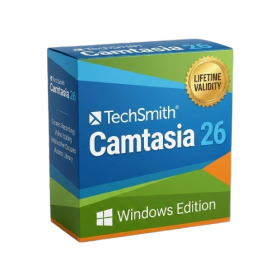
- AUTOMATIC DELIVERY INSTANTLY ON REGISTERED EMAIL .
- Any Installation Problem Freely Contact Us(Will Give You Support)
- Lifetime Validity
- Windows Version
- Edit video content as easily as a text document with the AI-powered text-based editing workflow.
- Instantly remove or replace video backgrounds without a green screen using dynamic AI masking.
- Automatically generate and sync accurate captions and subtitles from your voiceover in seconds.
- Smooth out jerky mouse movements and customize cursor paths with advanced cursor effects.
- Record high-resolution 4K screen capture, webcam, and system audio simultaneously.
- Clean up background noise and balance vocal levels instantly with AI-enhanced audio filters.
- Access a vast library of royalty-free intros, motion graphics, and music directly within the editor.
- Engage viewers by adding interactive quizzes and clickable hotspots directly to your videos.
- Apply professional animations and behaviors to text and images with simple drag-and-drop actions.
- Export videos faster than ever with optimized GPU acceleration for modern hardware.
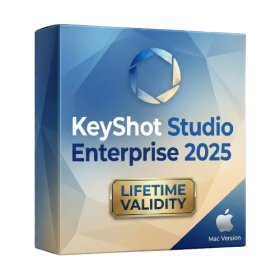
- Lifetime Validity
- Instant Delivery on Email
- Supported on All Apple Mac Systems
- Any Installation Problem Freely Contact Us(Will Give You Support)
- Render natively on Apple Silicon (M1/M2/M3) for maximum speed and efficiency.
- Generate photorealistic backgrounds instantly from text prompts using the AI Shots tool.
- Share interactive 3D product reviews securely with stakeholders via KeyShot Web Viewer.
- Automate complex rendering pipelines using the advanced Python scripting console.
- Import native files directly from high-end CAD systems like Siemens NX, Catia, and Creo.
- Switch seamlessly between CPU and GPU rendering to utilize Apple Metal graphics power.
- Create standardized material libraries for your organization with OpenPBR support.
- Accelerate post-production compositing with automatic Cryptomatte mask generation.

- AUTOMATIC DELIVERY INSTANTLY ON REGISTERED EMAIL .
- Any Installation Problem Freely Contact Us(Will Give You Support)
- Lifetime Validity
- Windows Version
- Route complex PCB traces automatically with the new AI-driven auto-interactive router.
- Collaborate seamlessly with mechanical engineers via the enhanced real-time MCAD CoDesigner.
- Simulate power integrity and signal performance instantly within the unified design environment.
- Manage component shortages proactively with live supply chain data in ActiveBOM.
- Visualize multi-board systems and rigid-flex designs in photorealistic 3D detail.
- Sync all design changes and version history securely to the cloud with Altium 365.
- Define complex high-speed design rules easily using the visual Constraint Manager.
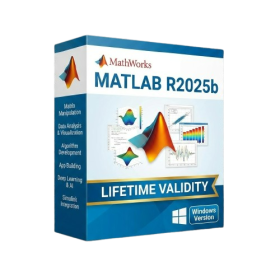
- AUTOMATIC DELIVERY INSTANTLY ON REGISTERED EMAIL .
- Any Installation Problem Freely Contact Us(Will Give You Support)
- Lifetime Validity
- Windows Version
- New Desktop: Modern, faster UI with fully supported Dark Mode.
- AI Assistant: Generate and debug code using the built-in AI Chat.
- Python Interop: Seamless data exchange between MATLAB and Python.
- Simulink 3D: Photorealistic simulation powered by Unreal Engine 5.
- Live Editor: Embed sliders and buttons directly into your scripts.
- App Building: Create standalone Windows apps without C++ knowledge.
- Code Gen: Export C/C++ code for embedded hardware instantly.
- 5G/6G Tools: Advanced modeling for next-gen wireless networks.
- Automotive: specialized toolboxes for ADAS and autonomous driving.
- Cloud Run: Run your scripts in a browser via MATLAB Online.
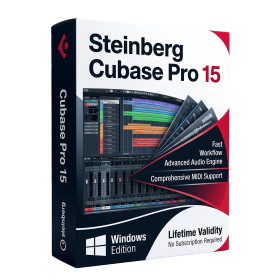
- AUTOMATIC DELIVERY INSTANTLY ON REGISTERED EMAIL .
- Any Installation Problem Freely Contact Us(Will Give You Support)
- Lifetime Validity
- Windows Version
- Included Instruments:
- Halion 7
- Halion Sonic 7
- Groove Agent 6
- Groove Agent SE 6
- WaveLab Pro 13
- Dorico Pro 6
- Backbone 1.6
- PadShop Pro 2
- Retrologue 2.5
- SpectraLayers Pro 13
- Iconica Sketch
- Verve
- Drum Machine