
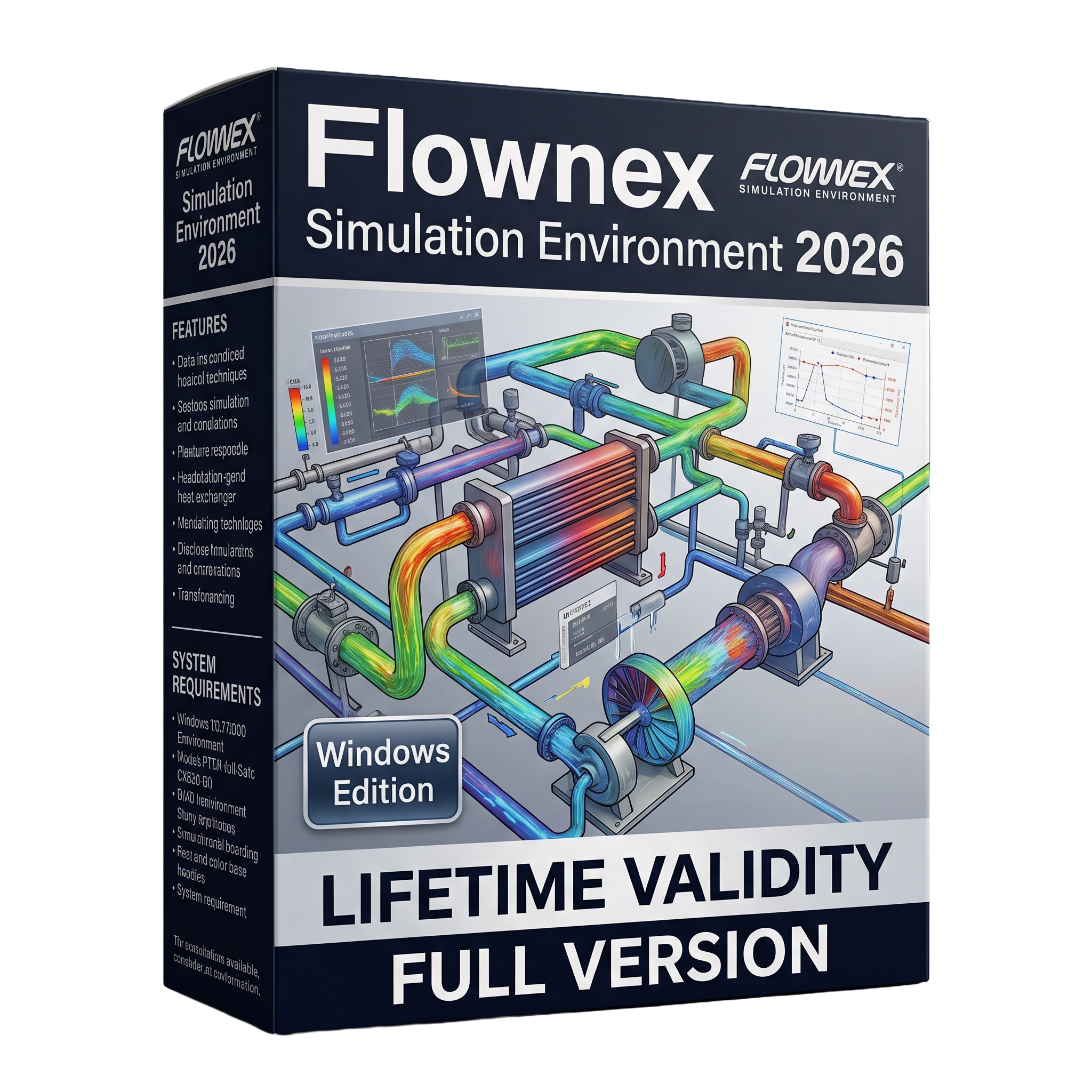

Flownex Simulation Environment 2026 for Lifetime
- AUTOMATIC DELIVERY INSTANTLY ON REGISTERED EMAIL .
- Any Installation Problem Freely Contact Us(Will Give You Support)
- Lifetime Validity
- Windows Version
- Professional 1D thermal-fluid system simulation software
- Simulate steady-state and transient flow and heat transfer
- Comprehensive libraries for pipes, pumps, valves, turbines, and heat exchangers
- Supports single-phase, multi-phase, gas, liquid, and non-Newtonian fluids
- Built-in optimization, sensitivity analysis, and parameter studies
- Control system modeling with PID and automation support
- Excel integration, C# scripting, and external CAE co-simulation
- Real-time visualization and engineering reporting tools
- Designed for aerospace, power, nuclear, automotive, HVAC, hydrogen, and process industries
- Ideal for engineers, researchers, and thermal-fluid system designers
₹550.00
Description
Flownex Simulation Environment 2026 for Windows is a professional 1D thermal-fluid system simulation software designed for modeling, analyzing, and optimizing complex flow, heat transfer, and thermo-hydraulic systems. Widely used by engineers, researchers, and system designers, Flownex enables users to simulate steady-state and transient behavior of fluid networks, helping improve system performance while reducing development time and testing costs. It is extensively applied across industries including aerospace, power generation, nuclear energy, automotive, HVAC, process engineering, hydrogen, and data centers.
Flownex 2026 provides an intuitive graphical modeling environment with an extensive library of components for pipes, pumps, valves, compressors, turbines, heat exchangers, tanks, reactors, and control systems. Engineers can rapidly build digital models of complete thermal-fluid networks, evaluate operating conditions, perform design optimization, and validate system performance before physical implementation. The software supports both steady-state and transient simulations, making it suitable for analyzing dynamic operating scenarios and control strategies.
The 2026 release introduces new modeling capabilities, enhanced solver performance, workflow improvements, and expanded component libraries for more accurate and efficient system-level simulations. Improved automation, optimization tools, and integration with external engineering software further streamline engineering analysis and multidisciplinary design workflows.
Key Features
- Professional 1D thermal-fluid system simulation software
- Steady-state and transient flow analysis
- Comprehensive component libraries for pipes, valves, pumps, compressors, turbines, tanks, and heat exchangers
- Fluid flow, pressure drop, and heat transfer simulation
- Single-phase, multi-phase, gas, liquid, and non-Newtonian fluid modeling
- Thermal management and cooling system analysis
- Control system and PID controller modeling
- Design optimization and sensitivity analysis tools
- Automated parameter studies and scenario analysis
- Excel integration and C# scripting support
- Co-simulation with external CAE applications
- Real-time visualization of simulation results
- Engineering reports and performance analysis tools
- Suitable for large-scale industrial thermal-fluid networks
What’s New in Version 2026
- New 1D simulation capabilities and enhanced component models
- Improved solver performance and numerical robustness
- Expanded thermal-fluid component libraries
- Better workflow automation and usability
- Enhanced optimization and parameter study tools
- Improved integration with external engineering applications
- Performance improvements for large and complex simulation models
- Various stability improvements and bug fixes
Professional Applications
Flownex Simulation Environment 2026 is ideal for:
- Aerospace thermal-fluid systems
- Gas turbine and jet engine cooling
- Nuclear reactor thermal-hydraulic analysis
- HVAC system design
- Power plant simulation
- Automotive cooling systems
- Hydrogen production and distribution
- Oil and gas process systems
- Chemical process engineering
- Data center cooling optimization
- Research and academic engineering studies
System Requirements (Windows)
Minimum Requirements
- Operating System: Windows 10 (64-bit)
- Processor: Intel Core i7 or AMD Ryzen 7
- RAM: 16 GB
- Storage: 10 GB available disk space
- Graphics: DirectX-compatible graphics adapter
- Internet: Required for licensing and updates
Recommended Requirements
- Operating System: Windows 10/11 (64-bit)
- Processor: Intel Core i7 (12th Gen or newer) or AMD Ryzen 7 6000 Series or newer
- RAM: 32 GB or more
- Storage: 20 GB free SSD space
- Graphics: Modern dedicated graphics card recommended for large simulation models
Related Products
- AUTOMATIC DELIVERY INSTANTLY ON REGISTERED EMAIL .
- Any Installation Problem Freely Contact Us(Will Give You Support)
- Lifetime Validity
- Windows Version
- Included Instruments:
- Halion 7
- Halion Sonic 7
- Groove Agent 6
- Groove Agent SE 6
- WaveLab Pro 13
- Dorico Pro 6
- Backbone 1.6
- PadShop Pro 2
- Retrologue 2.5
- SpectraLayers Pro 13
- Iconica Sketch
- Verve
- Drum Machine

- AUTOMATIC DELIVERY INSTANTLY ON REGISTERED EMAIL .
- Any Installation Problem Freely Contact Us(Will Give You Support)
- Lifetime Validity
- Windows Version
- File Size: 1.84GB
- Visualize models with stunning depth and realism using the new graphics engine featuring native Ambient Occlusion.
- Generate unique, seamless textures instantly from simple text prompts with the integrated AI texture generator.
- Import complex Revit files accurately and efficiently with the enhanced, lighter-weight Revit Importer.
- Create 2D documentation in LayOut faster than ever with a new multi-threaded rendering engine that eliminates lag.
- Convert room scans from mobile devices automatically into clean, editable 3D geometry via Scan-to-Design.
- Collaborate in real-time by syncing projects seamlessly across Desktop, iPad, and Web versions.

- AUTOMATIC DELIVERY INSTANTLY ON REGISTERED EMAIL .
- Any Installation Problem Freely Contact Us(Will Give You Support)
- Lifetime Validity
- Windows Version
- Visualize models with realistic shading and depth using the new Ambient Occlusion engine.
- Import and export IFC files faster with enhanced openBIM interoperability.
- Find and execute any command instantly using the integrated Smart Search tool.
- Generate unique textures and styles quickly with AI-powered Diffusion graphics.
- Collaborate in real-time by syncing models seamlessly with Trimble Connect.
- Create 2D documentation efficiently with the optimized LayOut rendering engine.
- Import complex Revit files accurately with the lightweight Revit Importer.
- Organize geometry effortlessly using the modernized Tag management system.

- AUTOMATIC DELIVERY INSTANTLY ON REGISTERED EMAIL .
- Any Installation Problem Freely Contact Us(Will Give You Support)
- Lifetime Validity
- Windows Version
- Smooth skin naturally while preserving texture using advanced AI algorithms.
- Generate precise skin masks automatically to isolate subjects instantly.
- Process massive batches of photos rapidly with optimized multi-core performance.
- Remove blemishes and imperfections without blurring eyelashes or eyebrows.
- Even out skin tones to correct redness and blotchiness effortlessly.
- Apply professional retouching styles quickly with a customizable preset library.
- Fine-tune mask selection manually with the interactive refinement brush.
- Lifetime Validity
- Instant Delivery on Email
- Supported on All Apple Mac Systems
- Any Installation Problem Freely Contact Us(Will Give You Support)
- File Size: 6.68GB (20.3.2 Version)
- Ai Features are working
- Works with Internet and Antivirus
- Edit 12K projects effortlessly with native optimization for Apple M3 and M4 Ultra chips.
- Render renders up to 4x faster using the fully unified memory architecture of Apple Silicon.
- Generate depth maps instantly from single-camera clips using the Apple Neural Engine.
- Grade HDR content with absolute precision on Liquid Retina XDR displays using the new EDR workflow.
- Isolate voices from noisy backgrounds in real-time with the Core ML-powered Voice Isolation.
- Edit spatial video for Apple Vision Pro with a dedicated stereoscopic 3D viewer.
- Track complex objects in 3D space instantly with the Metal-accelerated IntelliTrack AI.

- AUTOMATIC DELIVERY INSTANTLY ON REGISTERED EMAIL .
- Any Installation Problem Freely Contact Us(Will Give You Support)
- Lifetime Validity
- Windows Version
- Explore massive 3D scenes in 100% ray-traced real-time without waiting for renders.
- Sync changes instantly from 3ds Max, SketchUp, Rhino, and Revit via Live Link.
- Render photorealistic animations at lightning speeds using NVIDIA DLSS 3.5 support.
- Populate environments with millions of objects using the built-in Chaos Scatter tool.
- Switch between different lighting setups, materials, and moods instantly with Scene States.
- Visualize complex animated characters and deformable meshes perfectly in real-time.
- AUTOMATIC DELIVERY INSTANTLY ON REGISTERED EMAIL .
- Any Installation Problem Freely Contact Us(Will Give You Support)
- Lifetime Validity
- Windows Version
- Edit video content as easily as a text document with the AI-powered text-based editing workflow.
- Instantly remove or replace video backgrounds without a green screen using dynamic AI masking.
- Automatically generate and sync accurate captions and subtitles from your voiceover in seconds.
- Smooth out jerky mouse movements and customize cursor paths with advanced cursor effects.
- Record high-resolution 4K screen capture, webcam, and system audio simultaneously.
- Clean up background noise and balance vocal levels instantly with AI-enhanced audio filters.
- Access a vast library of royalty-free intros, motion graphics, and music directly within the editor.
- Engage viewers by adding interactive quizzes and clickable hotspots directly to your videos.
- Apply professional animations and behaviors to text and images with simple drag-and-drop actions.
- Export videos faster than ever with optimized GPU acceleration for modern hardware.

- Lifetime Validity
- Instant Delivery on Email
- Supported on All Apple Mac Systems
- Any Installation Problem Freely Contact Us(Will Give You Support)
- Smooth skin naturally while preserving texture using advanced AI algorithms.
- Generate precise skin masks automatically to isolate subjects instantly.
- Process massive batches of photos rapidly with optimized multi-core performance.
- Remove blemishes and imperfections without blurring eyelashes or eyebrows.
- Even out skin tones to correct redness and blotchiness effortlessly.
- Apply professional retouching styles quickly with a customizable preset library.
- Fine-tune mask selection manually with the interactive refinement brush.

- AUTOMATIC DELIVERY INSTANTLY ON REGISTERED EMAIL .
- Any Installation Problem Freely Contact Us(Will Give You Support)
- Lifetime Validity
- Windows Version
- Render scenes with significantly less noise using the improved High-Quality Denoiser.
- Create intricate procedural clouds and weather effects with the updated Corona Sky.
- Scatter objects efficiently on surfaces with the enhanced Chaos Scatter controls.
- Apply decals to curved and organic surfaces seamlessly without UV unwrap.
- Simulate realistic fabrics and velvets instantly with the new Sheen layer.
- Manage complex scenes easily using the optimized Lister and Scene Management tools.
- Reduce memory usage significantly when rendering repetitive geometry with Corona Pattern.
- AUTOMATIC DELIVERY INSTANTLY ON REGISTERED EMAIL .
- Any Installation Problem Freely Contact Us(Will Give You Support)
- Lifetime Validity
- Windows Version
- Generate invoices.
- Manage multiple companies and financial years from a single unified interface.
- Track inventory stocks across different godowns and locations in real-time.
- Automate bank reconciliation by uploading digital bank statements directly.
- Calculate employee salaries, PF, and TDS accurately with the integrated Payroll module.
- Access business data remotely using the secure Tally.NET connection services.

- Lifetime Validity
- Instant Delivery on Email
- Supported on All Apple Mac Systems
- Any Installation Problem Freely Contact Us(Will Give You Support)
- Visual Search: Find clips by describing objects or actions (e.g., “sunset”).
- Beat Detection: Auto-generate markers to sync edits to music beats.
- Transcript Search: Find footage by typing spoken dialogue.
- Magnetic Mask: Isolate subjects instantly without green screens.
- Spatial Video: Edit and grade 3D content for Apple Vision Pro.
- Voice Isolation: Remove background noise with one click.
- Transcribe to Captions: Auto-generate subtitles on-device.
- Smooth Slo-Mo: AI-generated frames for perfect slow motion.

- AUTOMATIC DELIVERY INSTANTLY ON REGISTERED EMAIL .
- Any Installation Problem Freely Contact Us(Will Give You Support)
- Lifetime Validity
- Windows Version
- Rock-Solid Tracking: The industry standard for planar tracking.
- PowerMesh: Track warped surfaces like skin and fabric.
- Generative Remove: Auto-remove objects and wires with AI.
- Stabilization: Smooth out shaky handheld footage instantly.
- Insert Module: Perfect screen replacements with motion blur.
- Magnetic Roto: Snap masks to edges for fast rotoscoping.
- Lens Correction: Fix or match lens distortion easily.