
VisTitle software is based on Windows Operation System. The system of original 64 bit software (latest version) works on the basis of parallel CPU and GPU, make full use of 64 bit computing and CPU multi-core and multi-thread, apply rendering algorithm of GPU programmable language, and maximize the computing power of current hardware. VisTitle can create 2D titles, 3D titles, and 3D stereo titles in SD, HD, and 2K or 4K resolution. It can apply high quality real-time rendering* of broadcast-level to texts and objects rapidly with high performance.
-50%Limited


Wondershare Filmora 15 for Lifetime
Brand: Wondershare
- AUTOMATIC DELIVERY INSTANTLY ON REGISTERED EMAIL .
- Any Installation Problem Freely Contact Us(Will Give You Support)
- Lifetime Validity
- Windows Version
- File Size: 704MB
- Edit videos, add effects, or correct color simply by typing chat commands with the AI Mate assistant.
- Generate realistic video clips from text prompts using integrated Sora 2 and Veo 3.1 AI models.
- Open and edit compound clips in separate tabs to keep your main timeline organized.
- Draw freeform masks and paths directly on the video preview for precise rotoscoping.
- Intelligently extend short video or audio clips to fit your scene length perfectly using AI.
- Track text or graphics onto moving flat surfaces like screens or walls with planar tracking.
- Erase unwanted objects and automatically reconstruct the background behind them.
- Automatically detect highlights in long footage to create instant vertical shorts for social media.
- Experience clearer sound and higher dynamic range with the upgraded 32-bit audio engine.
- Merge multiple project files into a single master project for easier team collaboration.
Original price was: ₹999.00.₹499.00Current price is: ₹499.00.
Send Enquiry
Description
Wondershare Filmora 15: The AI-Powered Editor That Chats With You
Wondershare Filmora 15 redefines what a video editor can do by transforming from a simple tool into an intelligent creative partner. Released in late 2025, this latest version introduces AI Mate, a conversational assistant that lets you edit videos simply by asking. Whether you are a YouTuber, a social media marketer, or a filmmaker, Filmora 15 bridges the gap between your idea and the final cut.
With native integration of Sora 2 and Veo 3.1, Filmora 15 is no longer just for editing existing footage—it generates cinematic visuals from scratch. It combines the ease of use Filmora is famous for with pro-level features like Dual-Timeline Editing and Planar Tracking, making it the perfect choice for creators who want Hollywood results without the Hollywood learning curve.
What’s New in Filmora 15?
1. AI Mate (Conversational Editing)
Stop digging through menus. Just type or say what you need.
- Chat to Edit: “Add a cinematic fade,” “Remove the silence,” or “Make the music match the video.” AI Mate executes these commands instantly.
- Creative Guidance: Not sure how to fix a bad shot? Ask AI Mate for advice, and it will apply the necessary color correction or stabilization automatically.
2. GenAI Video Engine (Sora 2 & Veo 3.1)
- Text-to-Video: Powered by the latest Sora 2 and Veo 3.1 models, you can generate high-fidelity, realistic B-roll just by typing a prompt.
- Image-to-Video: Turn static photos into dynamic, moving video clips with superior motion fidelity.
3. Pro-Workflow Tools
- Dual-Timeline Editing: A massive workflow upgrade. Open compound clips in separate tabs to edit them independently without cluttering your main timeline—similar to nested sequences in professional software.
- Magnetic Pen Tool: Draw freeform masks and paths directly on the video preview. Perfect for complex rotoscoping or creating custom shape animations.
- Import Subprojects: Merge different Filmora project files into one master file. Great for teams where different editors work on different scenes.
4. AI Magic & Cleanup
- AI Extend: Is your music track or video clip too short? AI Extend intelligently generates new frames or audio waves to lengthen your clip seamlessly to fit the scene.
- Magic Box Object Remover: The upgraded remover doesn’t just blur objects; it reconstructs the background behind them so naturally that no one will know a person or trash can was ever there.
Key Features
Smart Editing
- Smart Short Clips: Automatically identifies the highlights of your long footage and cuts them into viral-ready shorts for TikTok and Reels.
- Planar Tracking: Track text or images to flat surfaces (like a phone screen or a wall) even if the camera is moving or the perspective changes.
- Silence Detection: Automatically removes silent pauses from podcasts and educational videos to keep the viewer engaged.
Audio Mastery
- 32-Bit Audio Pipeline: A new high-fidelity audio engine ensures your sound is crystal clear with greater dynamic range.
- AI Vocal Remover: Instantly separate vocals from background music to create karaoke tracks or clean up dialogue.
- Audio Ducking: Automatically lowers background music when someone is speaking.
Creative Assets
- Animated Charts: Turn boring data into exciting animated bar graphs and pie charts directly inside the editor.
- 20,000+ Effects: Access a massive library of drag-and-drop transitions, titles, stickers, and LUTs.
Why Upgrade to Filmora 15?
- Speed: The new AI Mate reduces editing time by up to 50% by handling repetitive tasks for you.
- Quality: Support for 8K export and the new 32-bit audio engine means your output quality is broadcast-ready.
- Versatility: From generating video with AI to precise manual keyframing with the Pen Tool, it satisfies both beginners and pros.
System Requirements
- Operating System: Windows 11 / Windows 10 (64-bit).
- Processor: Intel i5 or better, 2GHz+. (Intel 6th Gen or newer recommended for AI features).
- RAM: 8 GB RAM (16 GB required for HD and 4K videos).
- Graphics: Intel HD Graphics 5000 or later; NVIDIA GeForce GTX 700 or later; AMD Radeon R5.
- Disk Space: 10 GB free hard-disk space (SSD recommended)
*Some Ai Features may not work which requires login
*Login will not work
Related Products
-20%LimitedSold Out
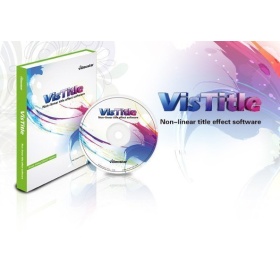
Brand: VisDOM
VisDOM VisTitle V2.9 – Title software
Original price was: ₹25,999.00.₹20,899.00Current price is: ₹20,899.00.
Out of stock
Sold Out
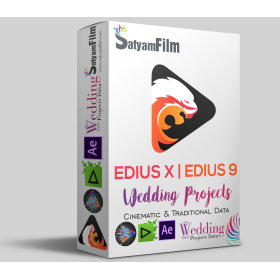
Edius Pro X/9/8 & After Effects Wedding Projects Dongle (RED Max)
Price range: ₹12,990.00 through ₹19,990.00
RED Max : Edius X Pro* | Edius Pro 9 | Edius Pro 8 | Edius Pro 7 | Adobe After Effects CC 1000+ Projects & 5000+ Effects
- Portrait Song, Title Projects
- Invitation Projects, Highlights & Teaser Projects
- Traditional Online Vidhi (Body) Projects
- Cinematic Color Correction Ready-made Presets
- Indian Wedding 3D Effects For Video Mixing
Out of stock
Sold Out
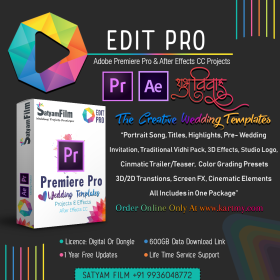
Premiere Pro And After Effects CC Wedding Templates & Effects
Price range: ₹9,999.00 through ₹13,999.00
Edit Pro: Adobe Premiere Pro & After Effects Wedding Templates & Effects Package Dongle
This is ready-made templates pack have many latest Bollywood song, cinematic title, WhatsApp invitation & many projects. You can only drag & drop your video file & your video file converted into a 3d look.
- 650+ GB Readymade Templates For Premiere Pro & After Effects
- 700+ Readymade Wedding Templates
- One Time Purchase Lifetime Validity
- 1 Year Free Projects Updates
- 30 Essential Wedding Graphics For After Effects
- 2000+ Premiere Pro Transitions
- 1200+ LUTs Presets (.cube) For Premiere Pro
- Wedding Toolkit Package : Over 100 Wedding Design in 5 Distinct Categories
- Lifetime Free Service Support & Installation
Out of stock
-7%LimitedSold Out

Brand: NewBlue
NewBlueFX TotalFX 7 Perpetual License
Original price was: ₹59,999.00.₹55,999.00Current price is: ₹55,999.00.
- 6 x NewBlueFX Ultimate Suites
- 1500 Presets in 177 Effects
- Upgrade from Titler Pro 5 to 7
- Compatible with Mac & Windows
Out of stock
-29%LimitedSold Out
Brand: ABSoft
ABSoft Neat Video 5 – noise reduction for digital video (EDIUS) – Pro Edition
Original price was: ₹12,999.00.₹9,199.00Current price is: ₹9,199.00.
- Pro Edition
- Premium Noise Reduction and Sharpening
- Intuitive Noise Profiling
- Instant Visual Feedback
- Comprehensive Host Integration
- Excellent Hardware Optimization
Out of stock
-21%LimitedSold Out

Brand: proDAD
proDAD HIDE: Delete unwanted objects from video
Original price was: ₹43,899.00.₹34,799.00Current price is: ₹34,799.00.
- Clear timeline for a fast workflow
- Easy trimming of clips
- Comfortable marking of objects
- Manual & automatic object tracking
- Comprehensive keyframe support
- Supporting optional input devices (like USB pedals)
- Effects preview window prior to file export
- Direct YouTube upload if desired
- Compatible with every framerate (24p/25p/30p/50p/60p and more)
- Supports resolutions up to (and including) 8K
Out of stock
-21%LimitedSold Out
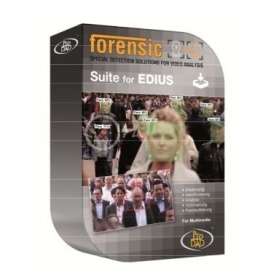
Brand: proDAD
ProDAD Forensic Suite for EDIUS, Download Only
Original price was: ₹529,999.00.₹418,199.00Current price is: ₹418,199.00.
ProDAD Forensic Suite for EDIUS – Collection of Forensic Software Tools and Forensic Plug-ins for EDIUS. Especially made for the Police.
Out of stock
SaleLimited
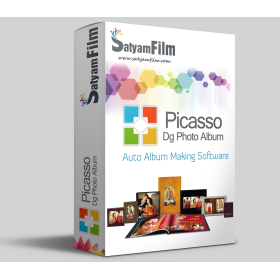
Brand: Satyam Film
Photo Album Maker : Picasso DG Photo Album
Price range: ₹3,000.00 through ₹4,000.00
Single software solution for making professional album for Wedding, Pre-Wedding, Baby Shower, Birthday, Holidays, School and many more events. Create professional album, Simple Photo Books, Calendar, Invitation, Magazine, Brouchers, ID-Cards, Mug Print, T-shirts, Collage Making, Greeting Card, Banner, Gift Design, Passport Package, Visiting Card and many more…
- HIGH QUALITY COLOR CORRECTIONS
- READYMADE COLOR PRESETS
- BOKEH EFFECT
- HIGH QUALITY EXPORT
- MULTILANGUAGE SUPPORT
-21%LimitedSold Out
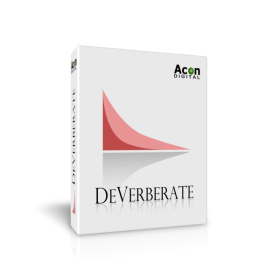
Brand: Acon Digital
Acon DeVerberate 2 – Reverb Reduction Plug-in
Original price was: ₹8,700.00.₹6,900.00Current price is: ₹6,900.00.
- Improve dialog and location sound
- Forensic specialists can improve speech intelligibility
- Attenuate reverberation in existing recordings
- Boost the natural reverberation in existing recordings
- Change the perceived distance in a mix by changing the balance between the direct sound and the reverberation
Out of stock
-33%LimitedSold Out
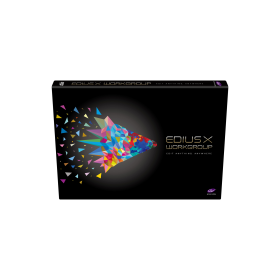
Brand: Grass Valley
EDIUS X (EDIUS 10) Workgroup | Video Editing Software (EDU)
Original price was: ₹42,000.00.₹28,000.00Current price is: ₹28,000.00.

Grass Valley EDIUS X Workgroup : Edit Anything, Fast
- Background Rendering
- GV Job Monitor
- H.265 Export
- Optimized Performance
- Optimized Audio Sync Performance
- 8K file export (H.265/HEVC, ProRes, DNxHR
Out of stock
-33%LimitedSold Out
Brand: Grass Valley
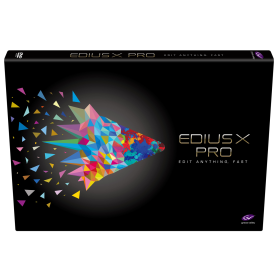
EDIUS X (EDIUS 10) Pro | Video Editing Software (Full & Commercial Version)
Original price was: ₹52,000.00.₹34,699.00Current price is: ₹34,699.00.

Grass Valley EDIUS X Pro : Edit Anything, Fast
- Commercial License
- Background Rendering
- GV Job Monitor
- H.265 Export
- Optimized Performance
- Optimized Audio Sync Performance
- Native Support for the Latest Cameras and Codecs
Out of stock
-42%LimitedSold Out
Brand: Grass Valley
EDIUS X Pro | Video Editing Software (EDU)
Original price was: ₹26,000.00.₹14,999.00Current price is: ₹14,999.00.
Grass Valley EDIUS X Pro : Edit Anything, Fast
- Background Rendering
- GV Job Monitor
- H.265 Export
- Optimized Performance
- Optimized Audio Sync Performance
- Native Support for the Latest Cameras and Codecs
Out of stock