
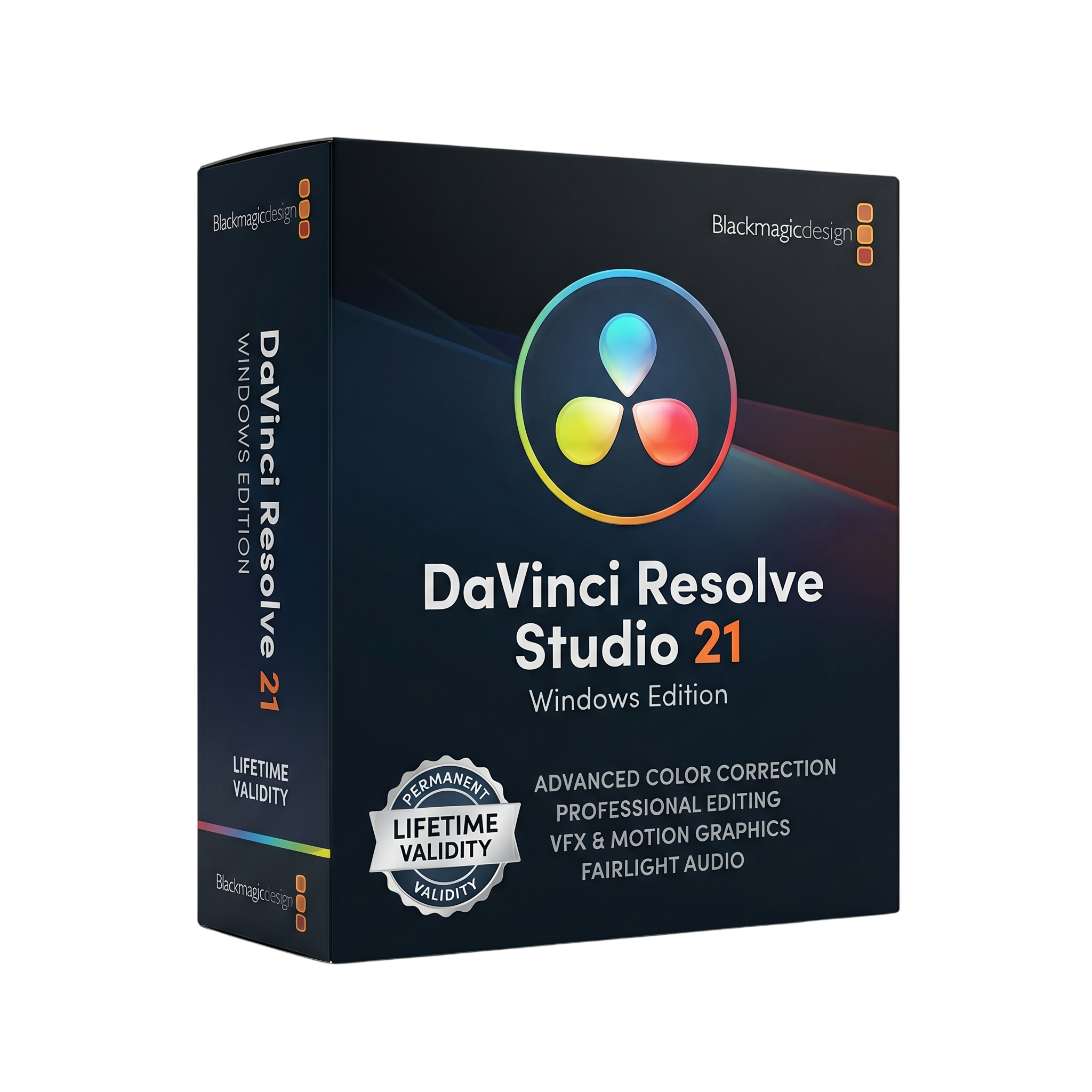
DaVinci Resolve Studio 21 for Lifetime
- Lifetime Validity
- Instant Delivery on Email
- Any Installation Problem Freely Contact Us(Will Give You Support)
- Supported on Windows 10,11
- 21.1.1 Latest
- Free Updates
- Ai Features are working
- Pre-Activated for Lifetime (Safe & Secure)
- No Lagging
- Professional all-in-one video editing, color grading, VFX, and audio software
- Advanced non-linear editing with multi-track timeline
- Industry-leading color grading tools with HDR support
- Built-in Fusion for visual effects and motion graphics
- Fairlight audio tools for professional sound editing
- AI-powered features via DaVinci Neural Engine
- Supports up to 32K resolution and high frame rates
- Multi-GPU acceleration for faster rendering
- Wide format support including 4K, 8K, and HDR
- Ideal for filmmakers, YouTubers, and post-production professionals
₹699.00
Bought Together
- Lifetime Validity
- Instant Delivery on Email
- Any Installation Problem Freely Contact Us(Will Give You Support)
- Supported on Windows 10,11
- 21.1.1 Latest
- Free Updates
- Ai Features are working
- Pre-Activated for Lifetime (Safe & Secure)
- No Lagging
- Professional all-in-one video editing, color grading, VFX, and audio software
- Advanced non-linear editing with multi-track timeline
- Industry-leading color grading tools with HDR support
- Built-in Fusion for visual effects and motion graphics
- Fairlight audio tools for professional sound editing
- AI-powered features via DaVinci Neural Engine
- Supports up to 32K resolution and high frame rates
- Multi-GPU acceleration for faster rendering
- Wide format support including 4K, 8K, and HDR
- Ideal for filmmakers, YouTubers, and post-production professionals
- Lifetime Validity
- Instant Delivery on Email
- Supported on Latest Apple Mac Systems
- Any Installation Problem Freely Contact Us(Will Give You Support)
- 21.1 Latest
- Ai Features are working
- Free Updates
- Professional all-in-one software for editing, color grading, VFX, and audio
- Advanced non-linear video editing with multi-track timeline
- Industry-leading color grading with HDR and node-based workflow
- Built-in Fusion for visual effects and motion graphics
- Fairlight audio tools for professional sound mixing
- AI-powered features via DaVinci Neural Engine
- Supports high resolutions up to 32K and HDR formats
- Multi-GPU and Metal acceleration for faster performance
Description
DaVinci Resolve Studio 21 for Windows is a professional all-in-one video editing, color grading, visual effects (VFX), and audio post-production software developed by Blackmagic Design. It is widely used in Hollywood and high-end production environments, offering a complete post-production pipeline inside a single application.
Unlike traditional workflows that require multiple apps, DaVinci Resolve combines everything into one unified platform—including editing, color correction, motion graphics (Fusion), and audio mixing (Fairlight)—making it highly efficient for professionals.
🎯 Core Capabilities
- 🎬 Non-Linear Video Editing – Professional timeline editing with trimming, transitions, and effects
- 🎨 Advanced Color Grading – Industry-leading tools with HDR grading and color wheels
- 🎞️ Visual Effects (Fusion) – Node-based compositing and motion graphics
- 🔊 Audio Post-Production (Fairlight) – Multitrack audio editing and mixing
- 📤 Rendering & Delivery – Export in multiple formats including 4K/8K
🚀 Studio Version Advantages
The Studio edition unlocks advanced professional features beyond the free version:
- ⚡ Support up to 32K resolution and 120 FPS
- 🎥 10-bit video processing and HDR workflows
- 🧠 AI-powered tools (DaVinci Neural Engine) for facial recognition, speed warp, and color matching
- 🖥️ Multi-GPU acceleration for faster rendering
- 🎧 Dolby Atmos, HDR10+, and advanced audio tools
- 🎛️ Advanced noise reduction and lens correction tools
🆕 What’s New in Version 21
- 📸 Photo editing support alongside video workflows
- 🤖 AI tools like face reshaping, noise reduction, and object detection
- 🔍 AI search and media organization tools
- 🎬 Improved performance and GPU-accelerated workflows
- 🎨 Film look creator and advanced cinematic effects
These updates make Resolve 21 a hybrid creative suite for both video editors and photographers.
💻 System Requirements (Windows)
✅ Minimum Requirements
- OS: Windows 10 / Windows 11 (64-bit)
- Processor: Intel Core i7 or AMD Ryzen equivalent
- RAM: 16 GB (32 GB recommended for Fusion/VFX)
- GPU:
- Minimum 4 GB VRAM (8 GB recommended)
- Storage: SSD recommended (fast media drive preferred)
- Display: 1920 × 1080 resolution
🚀 Recommended Requirements
- OS: Windows 11 (latest version)
- Processor: Intel Core i9 / AMD Ryzen 9
- RAM: 32–64 GB (for 4K/8K workflows)
- GPU: NVIDIA RTX / AMD Radeon Pro (8–16 GB VRAM)
- Storage: NVMe SSD for high-speed editing
- Additional: Dedicated scratch disk for media cache
🎯 Use Cases
- 🎬 Film and cinematic video production
- 📺 YouTube and content creation
- 🎨 Professional color grading
- 🎞️ VFX and motion graphics
- 🎧 Audio mixing and post-production
Related Products

- AUTOMATIC DELIVERY INSTANTLY ON REGISTERED EMAIL .
- Any Installation Problem Freely Contact Us(Will Give You Support)
- Lifetime Validity
- Windows Version
- Edit video content as easily as a text document with the AI-powered text-based editing workflow.
- Instantly remove or replace video backgrounds without a green screen using dynamic AI masking.
- Automatically generate and sync accurate captions and subtitles from your voiceover in seconds.
- Smooth out jerky mouse movements and customize cursor paths with advanced cursor effects.
- Record high-resolution 4K screen capture, webcam, and system audio simultaneously.
- Clean up background noise and balance vocal levels instantly with AI-enhanced audio filters.
- Access a vast library of royalty-free intros, motion graphics, and music directly within the editor.
- Engage viewers by adding interactive quizzes and clickable hotspots directly to your videos.
- Apply professional animations and behaviors to text and images with simple drag-and-drop actions.
- Export videos faster than ever with optimized GPU acceleration for modern hardware.
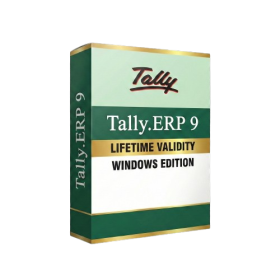
- AUTOMATIC DELIVERY INSTANTLY ON REGISTERED EMAIL .
- Any Installation Problem Freely Contact Us(Will Give You Support)
- Lifetime Validity
- Windows Version
- Generate invoices.
- Manage multiple companies and financial years from a single unified interface.
- Track inventory stocks across different godowns and locations in real-time.
- Automate bank reconciliation by uploading digital bank statements directly.
- Calculate employee salaries, PF, and TDS accurately with the integrated Payroll module.
- Access business data remotely using the secure Tally.NET connection services.
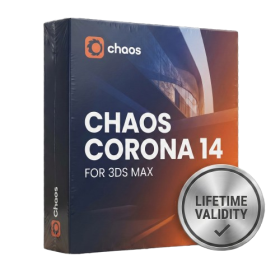
- AUTOMATIC DELIVERY INSTANTLY ON REGISTERED EMAIL .
- Any Installation Problem Freely Contact Us(Will Give You Support)
- Lifetime Validity
- Windows Version
- Render scenes with significantly less noise using the improved High-Quality Denoiser.
- Create intricate procedural clouds and weather effects with the updated Corona Sky.
- Scatter objects efficiently on surfaces with the enhanced Chaos Scatter controls.
- Apply decals to curved and organic surfaces seamlessly without UV unwrap.
- Simulate realistic fabrics and velvets instantly with the new Sheen layer.
- Manage complex scenes easily using the optimized Lister and Scene Management tools.
- Reduce memory usage significantly when rendering repetitive geometry with Corona Pattern.
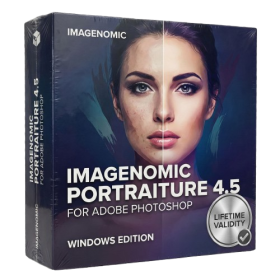
- AUTOMATIC DELIVERY INSTANTLY ON REGISTERED EMAIL .
- Any Installation Problem Freely Contact Us(Will Give You Support)
- Lifetime Validity
- Windows Version
- Smooth skin naturally while preserving texture using advanced AI algorithms.
- Generate precise skin masks automatically to isolate subjects instantly.
- Process massive batches of photos rapidly with optimized multi-core performance.
- Remove blemishes and imperfections without blurring eyelashes or eyebrows.
- Even out skin tones to correct redness and blotchiness effortlessly.
- Apply professional retouching styles quickly with a customizable preset library.
- Fine-tune mask selection manually with the interactive refinement brush.
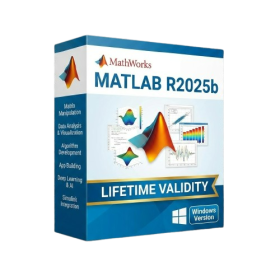
- AUTOMATIC DELIVERY INSTANTLY ON REGISTERED EMAIL .
- Any Installation Problem Freely Contact Us(Will Give You Support)
- Lifetime Validity
- Windows Version
- New Desktop: Modern, faster UI with fully supported Dark Mode.
- AI Assistant: Generate and debug code using the built-in AI Chat.
- Python Interop: Seamless data exchange between MATLAB and Python.
- Simulink 3D: Photorealistic simulation powered by Unreal Engine 5.
- Live Editor: Embed sliders and buttons directly into your scripts.
- App Building: Create standalone Windows apps without C++ knowledge.
- Code Gen: Export C/C++ code for embedded hardware instantly.
- 5G/6G Tools: Advanced modeling for next-gen wireless networks.
- Automotive: specialized toolboxes for ADAS and autonomous driving.
- Cloud Run: Run your scripts in a browser via MATLAB Online.
- AUTOMATIC DELIVERY INSTANTLY ON REGISTERED EMAIL .
- Any Installation Problem Freely Contact Us(Will Give You Support)
- Lifetime Validity
- Windows Version
- Online & Offline both working
- Create watertight meshes instantly for 3D printing with the new ShrinkWrap tool.
- Generate dynamic 2D sections and plans directly from 3D models with ClippingDrawings.
- Model organic shapes with greater precision using supported SubD creases.
- Manipulate geometry intuitively with the new customized Auto Gumball.
- Extrude and modify faces instantly using the direct PushPull workflow.
- Render scenes significantly faster with the optimized Cycles engine.
- Customize the modernized interface to match your specific drafting workflow.

- AUTOMATIC DELIVERY INSTANTLY ON REGISTERED EMAIL .
- Any Installation Problem Freely Contact Us(Will Give You Support)
- Lifetime Validity
- Mac Version
- Run natively on Apple Silicon (M1/M2/M3/M4/M5) for blazing-fast performance.
- Visualize models with realistic depth using the new Ambient Occlusion engine.
- Generate unique textures instantly with integrated AI-powered prompts.
- Sync projects seamlessly between Mac, iPad, and Web versions.
- Convert iPhone LiDAR scans into 3D models automatically via Scan-to-Design.
- Create 2D documentation faster with the optimized LayOut rendering engine.
- Import and export USDZ files easily for Apple AR visualization.
- AUTOMATIC DELIVERY INSTANTLY ON REGISTERED EMAIL .
- Any Installation Problem Freely Contact Us(Will Give You Support)
- Lifetime Validity
- Windows Version
- Chaos V-Ray 7.20.01 for Rhinoceros 7 – 9 & SketchUp 2021 – 2026
- Render real-world 3D scans with reflections using native Gaussian Splatting support.
- Simulate accurate stars, moon phases, and the Milky Way with the procedural Night Sky.
- Upscale renders to 16K resolution instantly with the one-click AI Upscaler.
- Populate vegetation naturally with new Clustering modes in Chaos Scatter.
- Clip and trim Gaussian Splat models directly within the SketchUp viewport.
- Render complex light fixtures significantly faster using optimized V-Ray Luminaires.
- Remove bright noise pixels automatically during rendering with Firefly Removal.
- Add detail to people and grass without re-rendering using the AI Enhancer.
- Lifetime Validity
- Instant Delivery on Email
- Supported on All Apple Mac Systems
- Any Installation Problem Freely Contact Us(Will Give You Support)
- Visual Search: Find clips by describing objects or actions (e.g., “sunset”).
- Beat Detection: Auto-generate markers to sync edits to music beats.
- Transcript Search: Find footage by typing spoken dialogue.
- Magnetic Mask: Isolate subjects instantly without green screens.
- Spatial Video: Edit and grade 3D content for Apple Vision Pro.
- Voice Isolation: Remove background noise with one click.
- Transcribe to Captions: Auto-generate subtitles on-device.
- Smooth Slo-Mo: AI-generated frames for perfect slow motion.
- Lifetime Validity
- Instant Delivery on Email
- Supported on All Apple Mac Systems
- Any Installation Problem Freely Contact Us(Will Give You Support)
- Render natively on Apple Silicon (M1/M2/M3) for maximum speed and efficiency.
- Generate photorealistic backgrounds instantly from text prompts using the AI Shots tool.
- Share interactive 3D product reviews securely with stakeholders via KeyShot Web Viewer.
- Automate complex rendering pipelines using the advanced Python scripting console.
- Import native files directly from high-end CAD systems like Siemens NX, Catia, and Creo.
- Switch seamlessly between CPU and GPU rendering to utilize Apple Metal graphics power.
- Create standardized material libraries for your organization with OpenPBR support.
- Accelerate post-production compositing with automatic Cryptomatte mask generation.
- AUTOMATIC DELIVERY INSTANTLY ON REGISTERED EMAIL .
- Any Installation Problem Freely Contact Us(Will Give You Support)
- Lifetime Validity
- Windows Version
- Hybrid Ray Tracing: Perfect reflections, shadows, and glass instantly.
- LiveSync: Real-time link to Revit, SketchUp, and Rhino.
- Full Library: Over 9,000 assets (trees, cars, people) included.
- Phasing Effect: Animate the construction process easily.
- Real Skies: 60+ HDR skies that light your scene automatically.
- Styles: One-click presets for “Watercolor,” “Sketch,” or “Realistic.”
- 3D Grass: Turn any surface into realistic, volumetric grass.
- Volumetric Spotlights: Create dusty, atmospheric beams of light.
- Material Editor: Add weathering, rounded edges, and foliage to textures.
- Output: Render 8K images, 4K videos, and 360 panoramas.
- Lifetime Validity
- Instant Delivery on Email
- Any Installation Problem Freely Contact Us(Will Give You Support)
- Supported on Windows 10,11
- Pre-Activated for Lifetime Validity
- Supports: Revit 2022 to 2026
- Import and render real-world 3D Gaussian Splats directly within the Revit interface.
- Generate custom PBR textures instantly from text prompts with the AI Material Generator.
- Visualize changes in real-time using the seamless Chaos Vantage Live Link.
- Populate scenes with vegetation and crowds efficiently using Chaos Scatter.
- Edit colors and apply finishing touches directly in the advanced V-Ray Frame Buffer.
- Ensure material consistency across different software with native OpenPBR support.
- Add realistic details like road markings or graffiti using V-Ray Decals.
- Simulate dynamic skies and cloud shadows with the procedural Cloud system.
- Generate dozens of lighting variations automatically with the Light Gen tool.
- Accelerate rendering times significantly with optimized NVIDIA RTX GPU support.